
You rely on your Mercedes to deliver performance, safety and comfort, and the right OBD scanner helps you protect that investment. Choosing a scanner built for Mercedes systems or one that offers deep diagnostics, coding and reliable updates saves you time at the shop and money on unnecessary repairs.
This guide shows which tools excel at compatibility, advanced functions like coding and key programming, ease of use and value so you can pick the scanner that matches how you work on and care for your Mercedes.
Top Picks
|
Category |
Product |
Score |
|---|---|---|
|
🏆 Best Mercedes-Specific |
88/100 |
|
|
📱 Best Bluetooth App |
80/100 |
|
|
🚀 Best Professional Tablet |
94/100 |
|
|
🎯 Best for Garage Use |
91/100 |
|
|
🔰 Best for Coding |
85/100 |
|
|
💼 Best for DIY Repairs |
82/100 |
|
|
💰 Best Value |
86/100 |
|
|
⭐ Best Simple Reader |
75/100 |
|
|
🔐 Best for Key Programming |
92/100 |
|
|
🔌 Best for PC Integration |
83/100 |
How We Picked
You need a scanner that matches your technical needs and budget while staying compatible with Mercedes model years and systems. We prioritized device compatibility across common Mercedes platforms, depth of diagnostics including live data and module coding, quality of software updates and manufacturer support, and practical factors like connectivity, portability and ease of use. Pricing and value were weighed so you can see where a professional tablet differs from a compact Bluetooth dongle, and we looked for vendors with a track record of reliable updates and clear documentation.
iCarsoft MB

If you own a Mercedes and prefer to diagnose issues yourself, this handheld iCarsoft is built around what you need. It covers Mercedes, Sprinter, Smart and Maybach models from 1996 through 2026 and gives you full-system scans, live data streams and common service resets so you can handle routine maintenance without a trip to the dealer.
The compact unit with a 2.8-inch screen is easy to use in the garage or at the roadside, and lifetime updates mean the tool stays relevant as your car ages. If you want Mercedes-focused coverage without the size and complexity of a professional tablet, this is a practical, approachable option.
What People Say
Customers commonly appreciate the Mercedes-specific coverage and the ability to perform oil, SAS and battery resets without dealer visits. Many users find the lifetime updates and live-data capability useful for routine troubleshooting.
Typical criticisms point to occasional software quirks, a modest screen and limited advanced coding compared with professional-level tools.
Overall Sentiment: Neutral

|
Pros |
Cons |
|---|---|
|
✅ Broad Mercedes model coverage and focused diagnostics |
❌ Not a full workshop-level coding or ECU programming tool |
|
✅ Supports live data and multiple service resets |
❌ Small screen and basic interface can feel cramped |
|
✅ Rugged, pocketable handheld design |
❌ Some users report occasional software or update issues |
|
✅ Lifetime update policy |
Problem Solving
This scanner is strong for everyday diagnostics: you can read and clear codes, monitor live parameters and run common service resets to fix many issues yourself. For deep coding, module programming or complex ECU work you may need a more advanced professional system, but for most troubleshooting tasks it reduces guesswork and unnecessary shop visits.
Ease Of Assembly
You simply plug the unit into the vehicle OBD-II port and power is provided by the car, so there is no assembly. Initial setup is minimal: follow the on-screen prompts and the handheld is ready to scan within minutes.
Key Benefits
- Mercedes-specific system coverage for deeper, model-focused diagnostics
- Live data and multiple service resets (SAS, oil, battery) for routine maintenance
- Portable, handheld form factor suited to DIY and mobile checks
- Lifetime free updates to maintain compatibility over time
Rating: 3.9/5 (total: 58+)
MBito
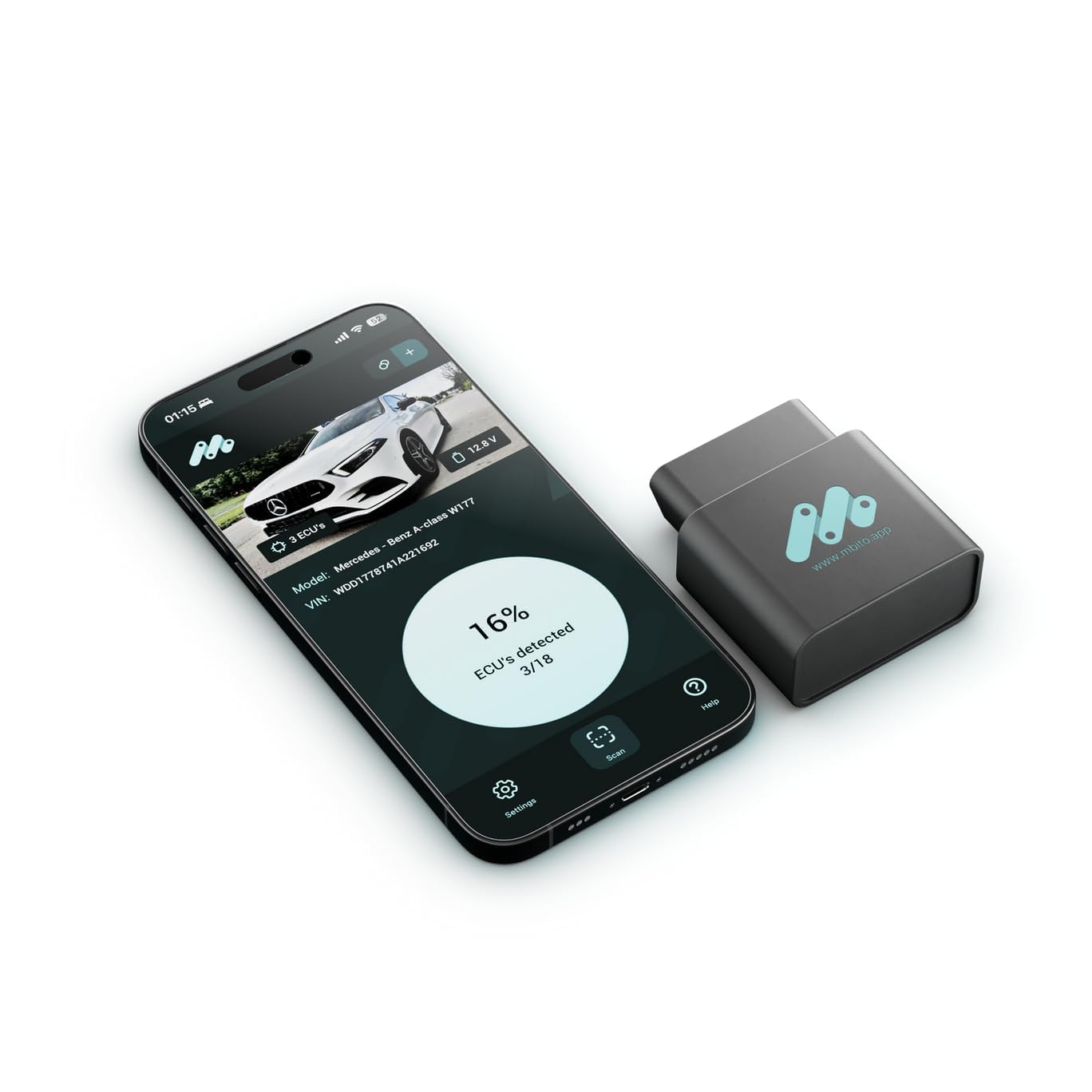
You plug the MBito into the OBD port and use your phone as the display, which keeps things compact and familiar. It covers a broad set of Mercedes platforms and offers basic coding and live-data monitoring through an iOS or Android app, so you can check codes, run diagnostics and confirm repairs while you work.
The wireless workflow is handy when you prefer mobility around the car, and the included two-year warranty adds a bit of peace of mind. If you want a phone-first solution for routine troubleshooting and occasional coding, this is a practical choice, though it isn’t aimed at full workshop-level programming.
What People Say
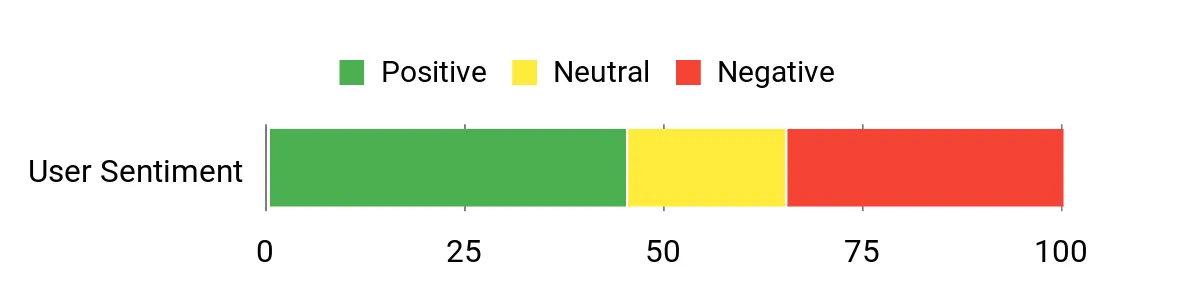
Users often like the convenience of using a phone app and the unit’s fit for Mercedes models, noting that it handles common diagnostics and live-data checks well. Positive comments focus on portability and straightforward setup, while critiques mention occasional Bluetooth stability issues and app polish.
Many buyers appreciate the two-year warranty but caution that advanced ECU programming is beyond this device’s scope.
Overall Sentiment: Neutral
|
Pros |
Cons |
|---|---|
|
✅ Easy Bluetooth pairing for phone-based diagnostics |
❌ Bluetooth connection can be flaky on some phones |
|
✅ Covers a wide range of Mercedes model families |
❌ App interface and updates are hit-or-miss |
|
✅ No external power required; very portable |
❌ Limited advanced coding compared with professional tools |
|
✅ Includes a 2-year manufacturer warranty |
Problem Solving
Good for everyday troubleshooting: you can read and clear codes, view live sensor data and perform simple coding tasks that resolve many common faults. For deep module programming or advanced troubleshooting you will need a higher-end professional tool.
Setup
Plug-and-play design requires no assembly. Pairing via Bluetooth and granting app permissions is the main setup step and usually takes only a few minutes.
Key Benefits
- Wireless Bluetooth convenience with phone-based interface
- Model-specific compatibility for many Mercedes variants
- Supports basic coding and live-data monitoring
- Compact, OBD-powered design requires no external battery
Rating: 3.4/5 (total: 118+)
FAQ
How Do I Choose The Right Scanner?
Start by checking Compatibility with your Mercedes model years and the specific modules you need to access, because coverage varies widely between generic OBD2 dongles and Mercedes-focused tools. Think about whether you need full-system diagnostics and service resets or just basic code reading; handheld units like the iCarsoft MB prioritize Mercedes systems and routine service functions, while phone-based adapters trade a small amount of depth for mobility. Also factor in software update policy and vendor support so the tool remains useful as your car receives software updates.
Will A Bluetooth Adapter Work For My Mercedes?
A Bluetooth adapter can work well if the accompanying app supports your Mercedes platform and your phone is compatible, since these adapters draw power from the OBD port and use your phone as the interface. You gain portability and a familiar app workflow, but be prepared for occasional connection drops or app inconsistencies on some device combinations; try pairing with your phone before relying on the tool for important diagnostics. Check whether the vendor provides regular firmware or app updates and customer support to resolve connectivity issues.
Can These Tools Perform Coding And Programming?
Many consumer-level scanners handle basic coding changes and common service resets, which solves a lot of owner-level tasks, but full ECU programming, secure key programming and deep module flashing typically require a professional-grade system. If you need advanced programming, look for workshop-level tablets and explicit support for those functions; for routine coding and live-data checks a dedicated Mercedes tool or a capable Bluetooth adapter will usually meet your needs. Always confirm the exact coding features supported and back up settings before making changes.
Customer Preferences
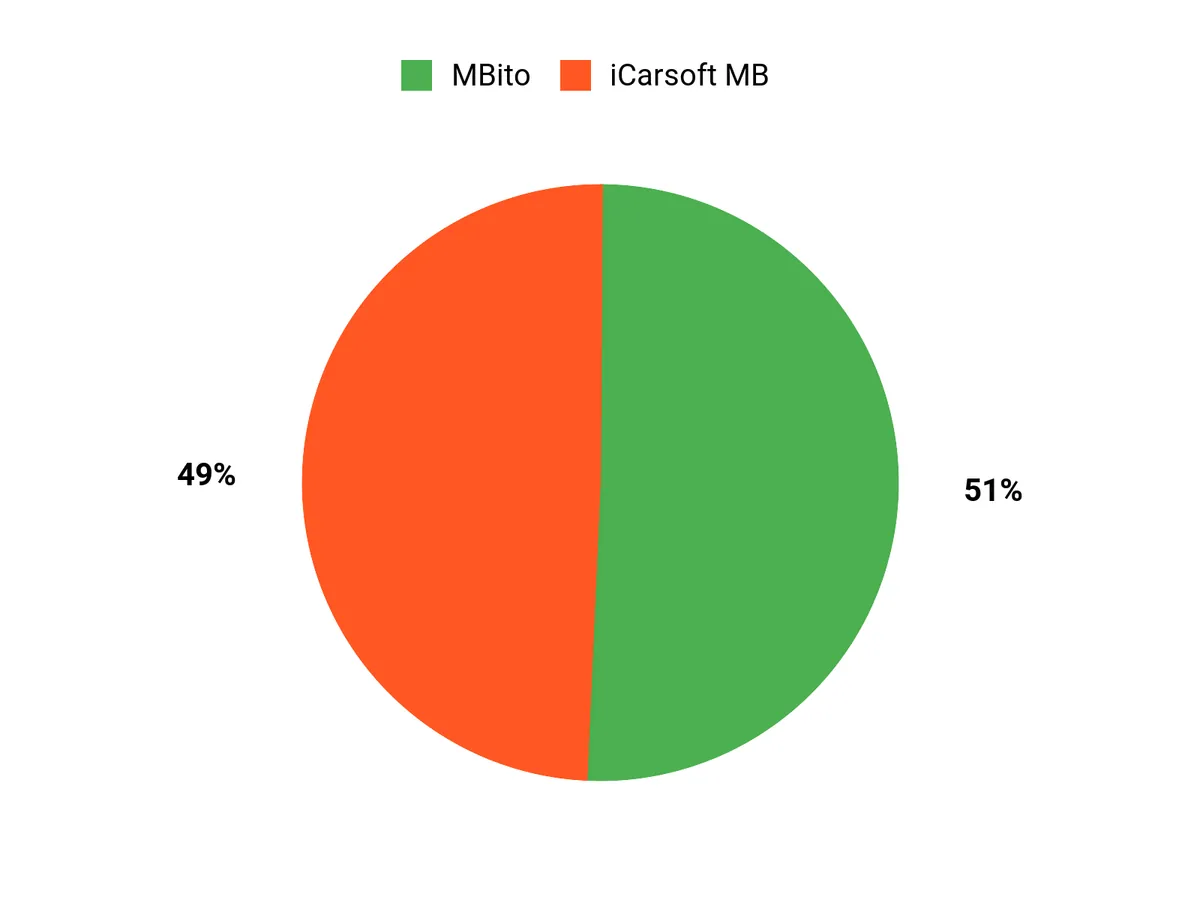
You typically prioritize deep Mercedes-specific diagnostics, reliable service resets and long-term update support when leaning toward the iCarsoft MB, because that focus reduces dealer visits and simplifies troubleshooting. If you prefer mobility and a phone-based workflow, you’ll choose the MBito for its Bluetooth convenience, but be prepared for occasional app or connection trade-offs and more limited advanced coding.
Wrapping Up
Choosing the right OBD scanner for your Mercedes depends on whether you want factory-level diagnostics, coding capabilities or a simple, portable reader for routine maintenance. If you focus on Mercedes-specific coverage and straightforward menus, a dedicated tool like the iCarsoft MB makes troubleshooting accessible.
For deep diagnostics and workshop-level features, professional tablets such as the Autel MaxiSys or Launch X431 deliver the most comprehensive coverage. If you prefer a phone-based workflow, Bluetooth options like MBito or Carly give you flexibility for coding and live data.
Use the categories above to match a scanner to how you maintain and modify your Mercedes, and prioritize compatibility with your model year and the specific modules you need to access.
| iCarsoft MB V1.0 Diagnostic Tool | MBito Professional OBD2 Scanner | |
|---|---|---|
|
|
|
|
| Rating | 3.9/5 (58 reviews) | 3.4/5 (118 reviews) |
| Power Source | Corded Electric | OBD Port Powered |
| Operating System Compatibility | WIN PE (Professional Automotive Inspection OS) | iOS and Android |
| Dimensions (L x W x H) | 3.98″L x 1.26″W x 7.38″H | 2.24″L x 1.97″W x 0.94″H |
| Special Highlights |
|
|
| Shop Now | Shop Now |
This Roundup is reader-supported. When you click through links we may earn a referral commission on qualifying purchases.