
Disclosure: As an Amazon Associate, we earn from qualifying purchases. If you click a link on this page and make a purchase, we may receive a small commission at no extra cost to you.
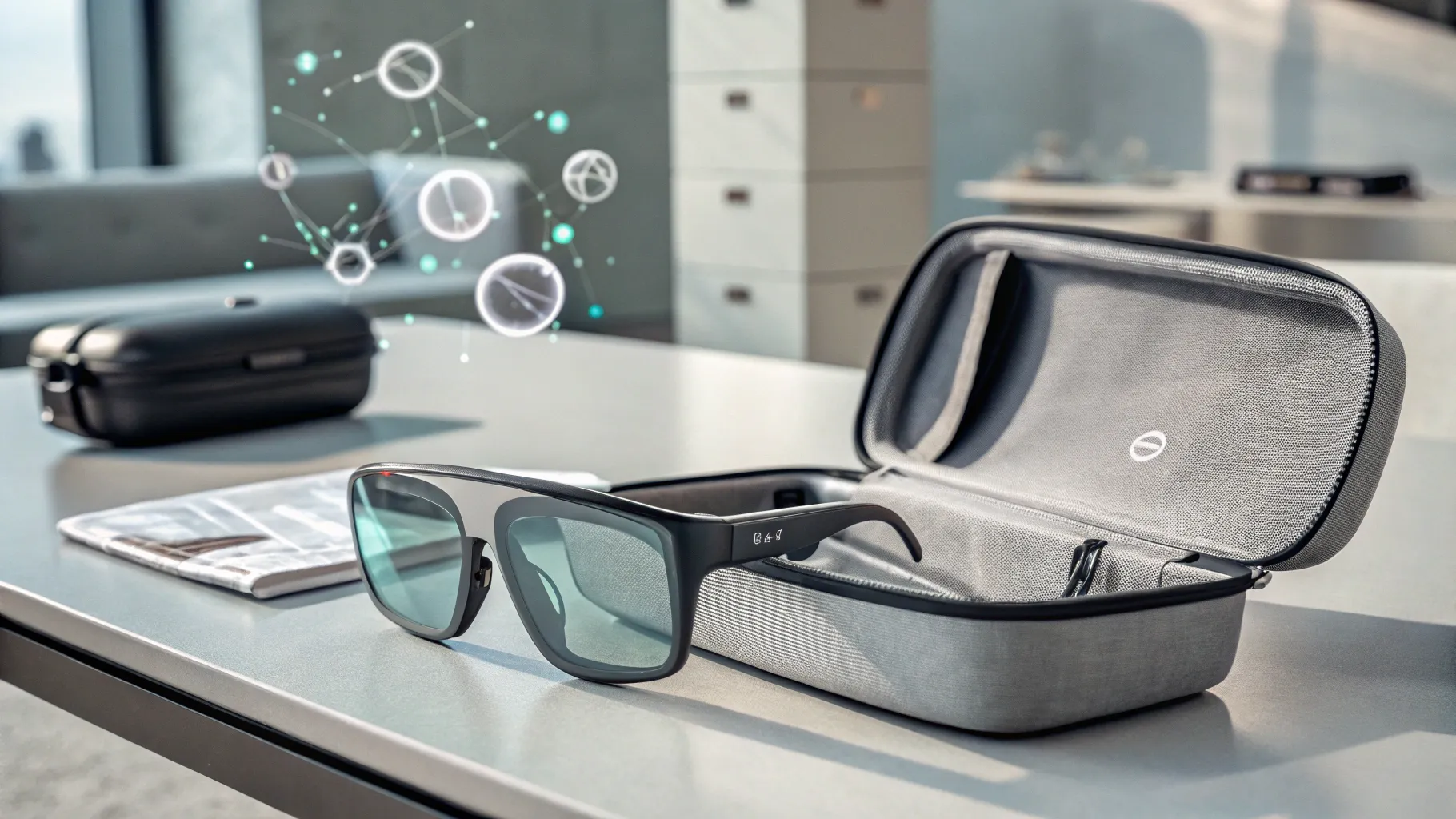
Want a large screen for gaming, movies, or work without carrying a monitor? The VITURE Luma Pro turns compatible devices into a personal virtual display with sharp 1200p visuals and a wide 52-degree field of view. Its adjustable fit, built-in myopia correction, and HARMAN-tuned audio make it appealing for travel and home use. But device compatibility, audio performance, and software-dependent features are worth checking before you buy.
Quick Verdict
Verdict: Recommended with caveats
Best For: Steam Deck players, frequent travelers, movie fans, and laptop users who want a portable private display.
Bottom Line: The VITURE Luma Pro combines a sharp virtual screen, flexible fit, and useful software features. However, some devices need extra adapters, advanced tracking relies on software, and the built-in speakers may not satisfy demanding listeners.
VITURE Luma Pro Key Specifications
| Specification | Detail |
|---|---|
| Brand | VITURE |
| Model | Luma Pro |
| Product Type | XR display glasses |
| Display Technology | Sony Micro-OLED |
| Resolution | 1200p, marketed as 4K-like clarity |
| Virtual Screen | Up to 152-inch equivalent, based on VITURE’s stated viewing setup |
| Field of View | 52 degrees |
| Advertised Brightness | Up to 1,000 nits of perceived brightness |
| Refresh Rate | Up to 120Hz on supported setups |
| Weight | Approximately 79g for the Regular version |
| Myopia Adjustment | 0 to -4.0 diopters |
| Fit Features | Interchangeable nose pads, flexible temples, tilt-adjustable arms |
| Lens Shading | Adjustable electrochromic film |
| Audio | Built-in HARMAN-tuned speakers |
| Connectivity | USB-C video connection; DisplayPort Alt Mode or a suitable adapter required |
| Software | VITURE SpaceWalker on supported platforms |
| Spatial Features | Software-assisted 3DoF, Immersive 3D, and front RGB camera |
| Best Uses | Portable gaming, movies, travel, and virtual desktop viewing |
What Is the VITURE Luma Pro?
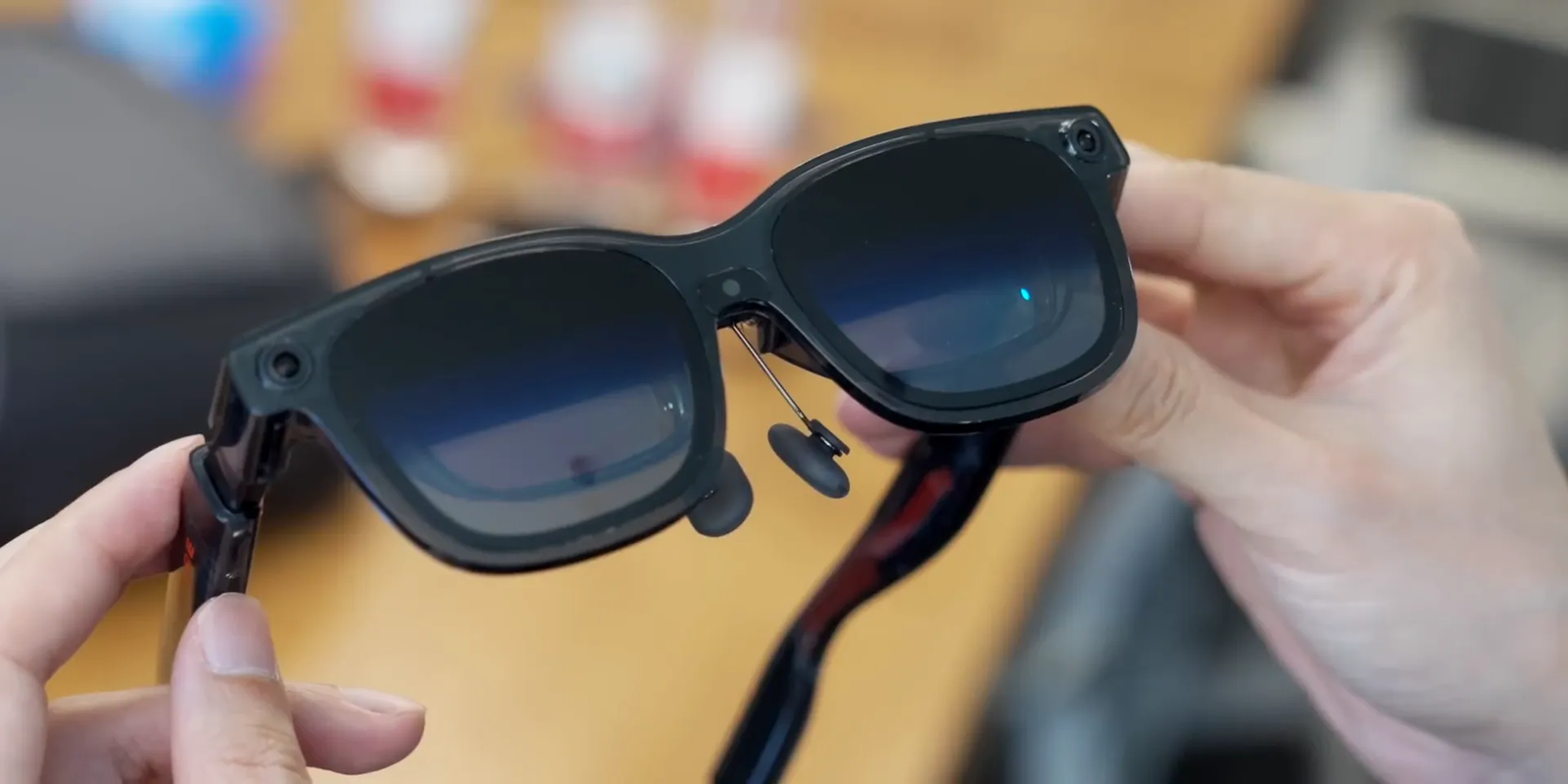
The VITURE Luma Pro is a pair of display glasses that projects video from a compatible phone, computer, or gaming device into your field of vision. Instead of using a large physical monitor, you see a floating virtual screen while wearing a frame that looks closer to sunglasses than a conventional VR headset.
The main attraction is the combination of a 1200p Micro-OLED display, a 52-degree field of view, and adjustable electrochromic shading. These features help create a private viewing experience for games, videos, and supported desktop applications.
The glasses also work with VITURE’s wider accessory and software ecosystem. SpaceWalker can add virtual screen management and other features on supported devices, while separate docks and adapters extend compatibility with gaming consoles and phones.
Before You Buy: A USB-C port does not always mean your device can output video. Check for DisplayPort Alt Mode, Thunderbolt video support, or a compatible adapter. Nintendo Switch consoles require a suitable dock. Also, the glasses do not have a native 4K display or built-in 6DoF tracking.
Unboxing the VITURE Luma Pro
The original review describes a tidy retail package with a quick-start guide and a zippered carrying case for the glasses. The case is a useful part of the setup because the optical lenses and frame need protection when stored in a backpack or travel bag.
The semi-transparent frame has a modern look without the size of a full VR headset. Magnetic interchangeable nose pads, flexible temples, and tilt-adjustable arms give you several ways to position the display. The myopia adjustment dials are especially useful for people with mild nearsightedness.
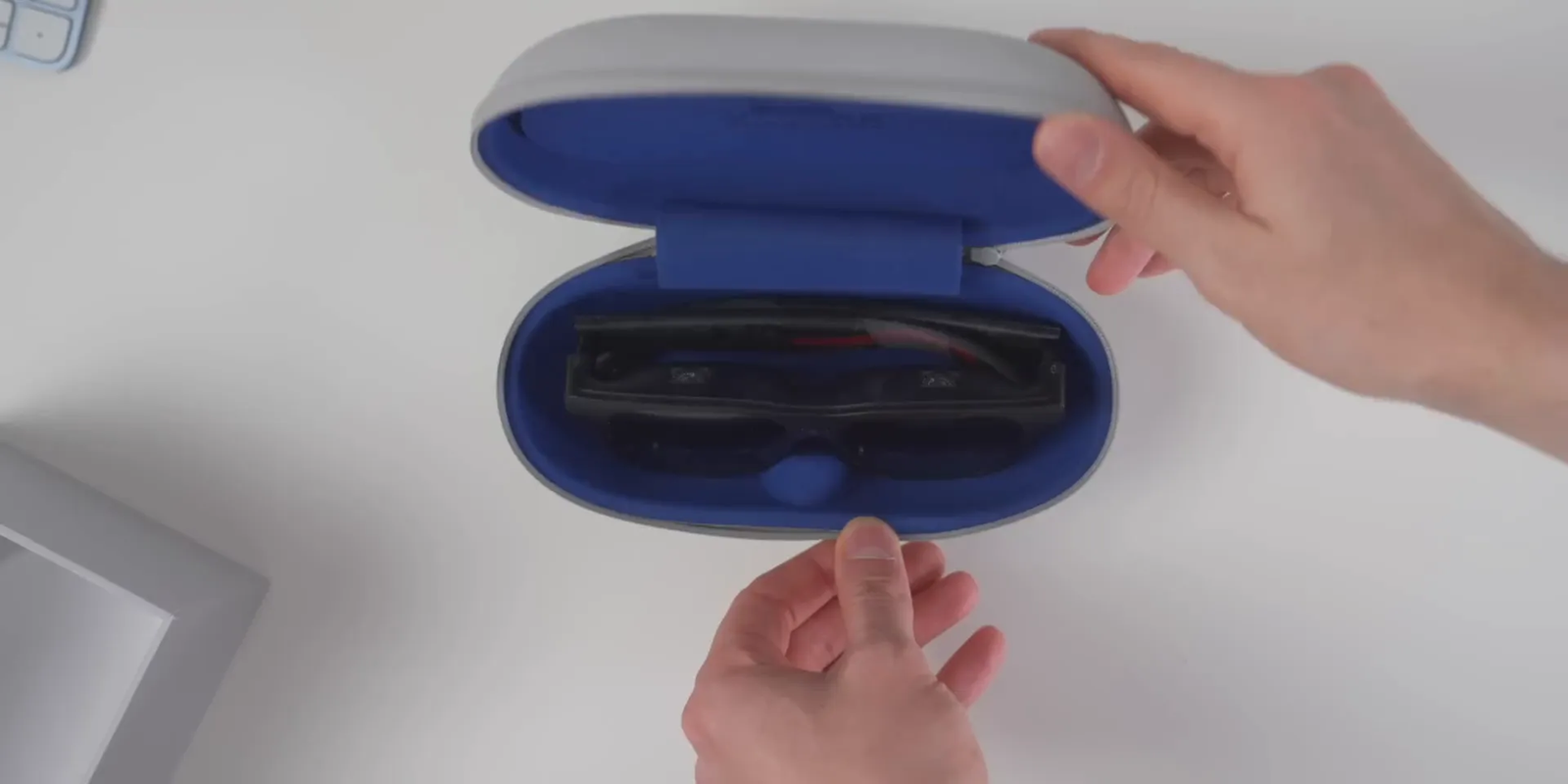
Before your first session, check that the included parts match your order. The glasses are the main product, while items such as gaming docks, special adapters, and the Pro Neckband should not be assumed to be included unless the seller clearly lists them.
Display Quality: 1200p Clarity and a 152-Inch Virtual Screen
The Luma Pro uses Sony Micro-OLED display technology with a stated resolution of 1200p. VITURE markets its optical system as offering 4K-like sharpness, but that term describes the viewing experience rather than a native 4K pixel count.
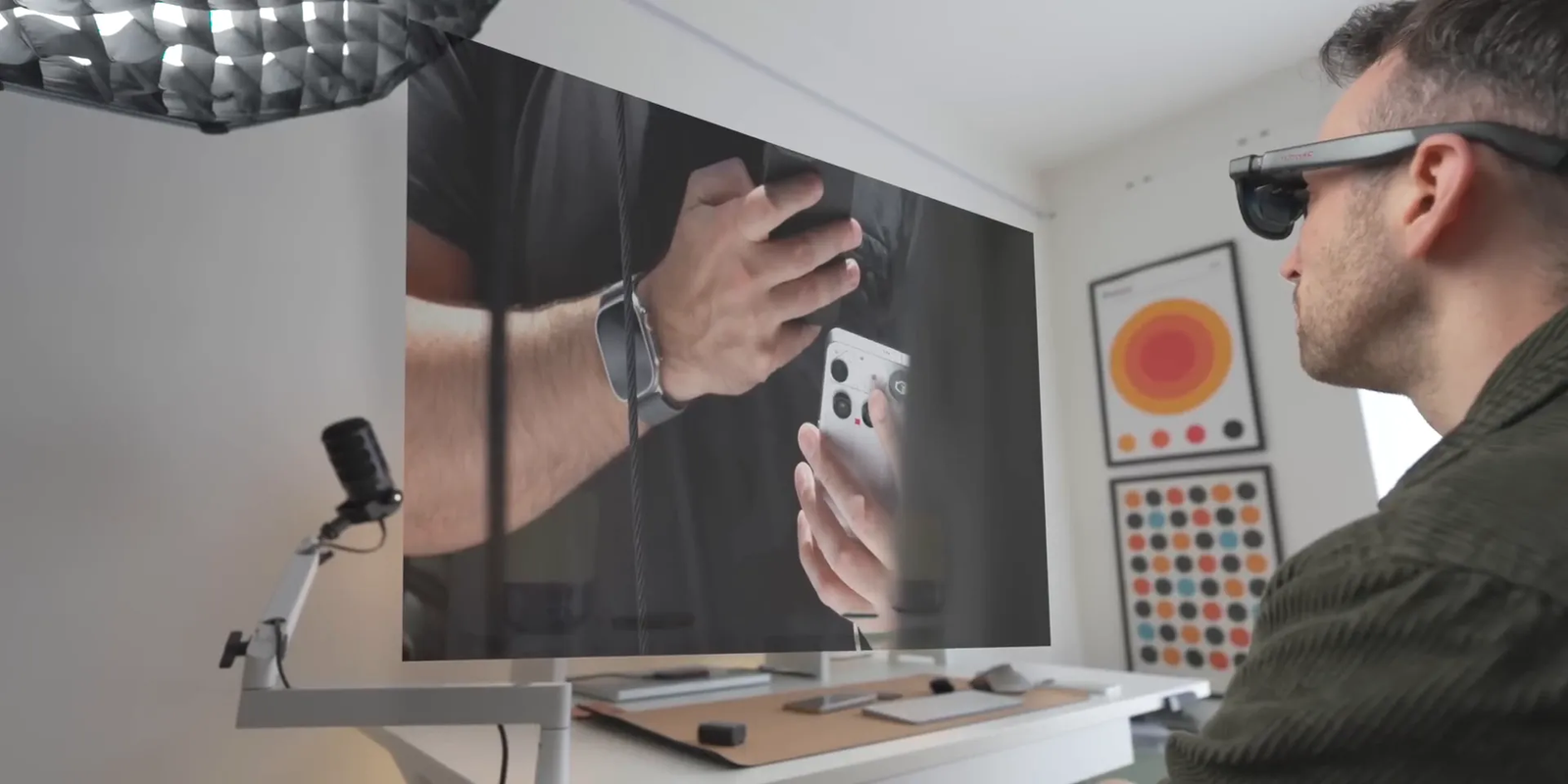
The advertised 152-inch virtual screen gives movies and games a large-screen feel. It is not a physical 152-inch image on a wall, and perceived size depends on the viewing setup. The 52-degree field of view is wider than the previous VITURE Pro generation’s 46 degrees.
Brightness reaches an advertised 1,000 nits of perceived brightness. The electrochromic film darkens the lenses to help reduce interference from the surroundings. You can adjust the shading rather than relying on a permanently dark lens.
What Does the Wider Field of View Mean?
A larger field of view lets the virtual image take up more of your vision. This can make games and films feel more engaging, but it also makes eye position important. If the glasses sit too high, low, or far from your eyes, part of the image may look soft or be cut off.
Is the Display Good for Text?
The 1200p resolution and improved optics make the glasses useful for reading documents, browsing, and using a laptop’s desktop. Small text can still be harder to manage than on a well-positioned physical monitor, especially during long work sessions.
Comfort, Fit, and Myopia Adjustment
Fit is one of the Luma Pro’s strongest features. Its nose pads and tilt-adjustable temples allow you to change how the lenses line up with your eyes. That matters because a large virtual display works best when both eyes can see the full image clearly.
The myopia dials support correction from zero to -4.0 diopters. They may reduce the need for prescription inserts if you have suitable nearsightedness, but they do not replace correction for every vision need. Astigmatism and prescriptions outside the supported range may require a separate prescription lens solution.
VITURE also offers frame sizing guidance based on interpupillary distance (IPD), the distance between your pupils. Check the current sizing chart before choosing a Regular or Large version. A model that is too narrow or wide for your eyes can reduce clarity even when the display itself is sharp.
Material Safety and Everyday Comfort
Because the glasses rest on your nose and ears, comfort depends on correct adjustment and reasonable wearing time. The flexible temples and replaceable nose pads help, but they cannot guarantee a perfect fit for every face.
Take regular breaks during long sessions, especially if you notice eye strain, pressure, dizziness, or headaches. Clean the optical surfaces with a suitable lens cloth and follow VITURE’s care instructions. Avoid harsh chemicals and unnecessary pressure on the lenses or frame.
The Luma Pro also has a front RGB camera. Check the active software features and privacy settings before using camera-related functions, particularly in shared spaces.
Who Should Buy the VITURE Luma Pro?
Best For
- Handheld gamers who want a larger personal screen for compatible systems such as Steam Deck.
- Travelers who want to watch downloaded movies or shows without carrying a large monitor.
- Laptop users who want a private display and access to supported SpaceWalker desktop features.
Skip If
- You need native 4K output or a physical replacement for every desktop monitor task.
- Your main device lacks compatible video output and you do not want extra adapters.
- You need reliable built-in 6DoF spatial tracking or high-quality speakers as your top priority.
Gaming Anywhere with VITURE Luma Pro
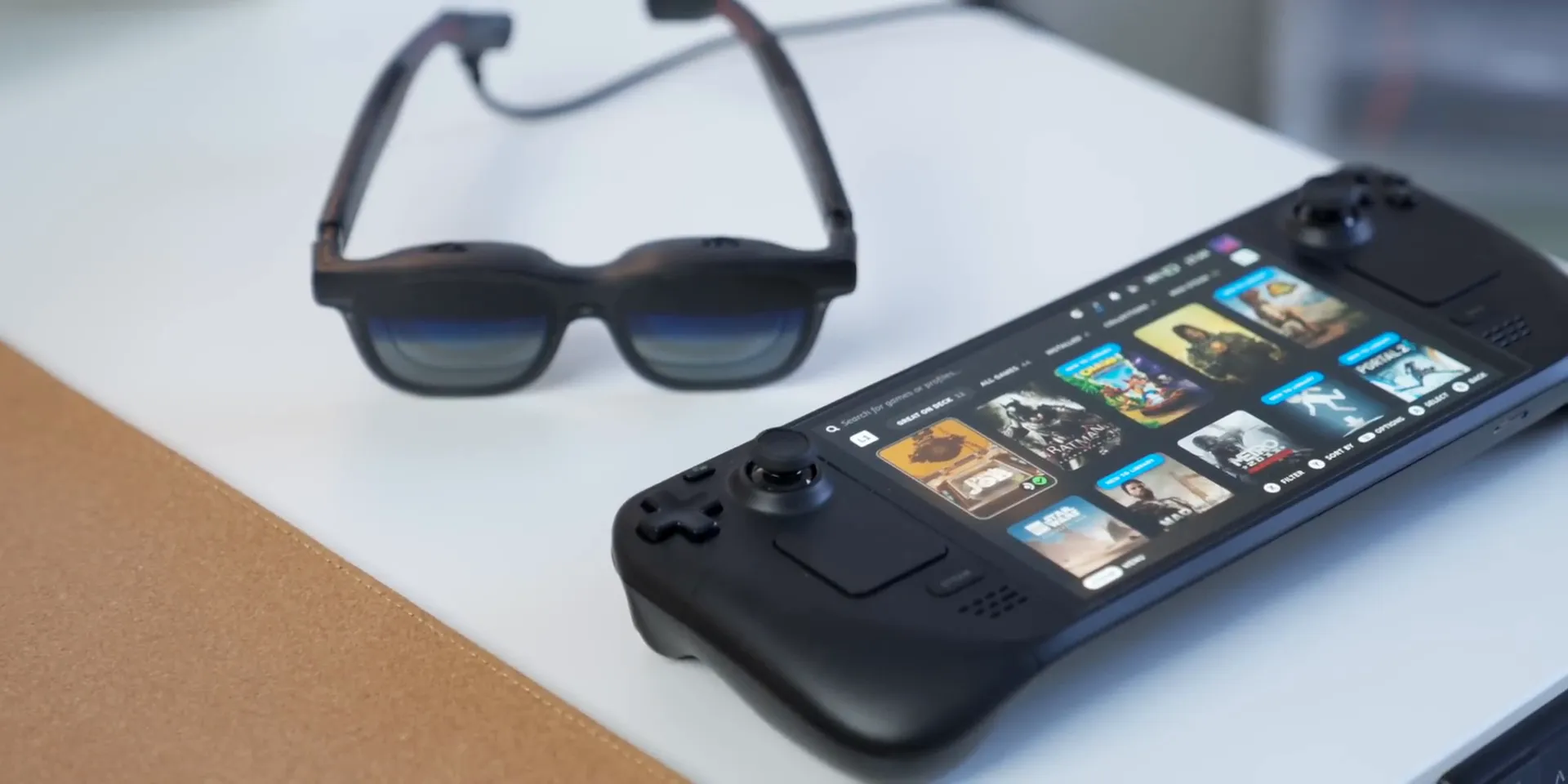
Portable gaming is one of the clearest reasons to consider these glasses. Connect a compatible Steam Deck, and you can view the game’s video on a large virtual display instead of leaning over a smaller handheld screen.
The display supports refresh rates up to 120Hz on suitable devices and software configurations. Actual gameplay smoothness still depends on the game’s frame rate, the connected hardware, and the selected video mode.
The built-in speakers are tuned by HARMAN and provide convenient sound without headphones. Independent reviewers, however, have raised concerns about limited audio strength. You may prefer compatible earbuds or headphones for louder environments and more detailed sound.
Nintendo Switch and Switch 2 Compatibility
Nintendo Switch and Switch 2 users need an appropriate dock or adapter rather than a simple direct USB-C connection. VITURE’s compatible mobile docking accessories can also support shared-screen gaming with two pairs of glasses in supported configurations.
The VITURE x 8BitDo mobile gaming controller is another optional accessory for phone-based gaming. Check supported devices and connection requirements before purchasing a controller or dock.
Using VITURE Luma Pro Beyond Gaming
The Luma Pro can act as an external screen for compatible smartphones, laptops, and desktop computers. Devices with USB-C DisplayPort Alternate Mode can often connect directly, while others may need a compatible video adapter.
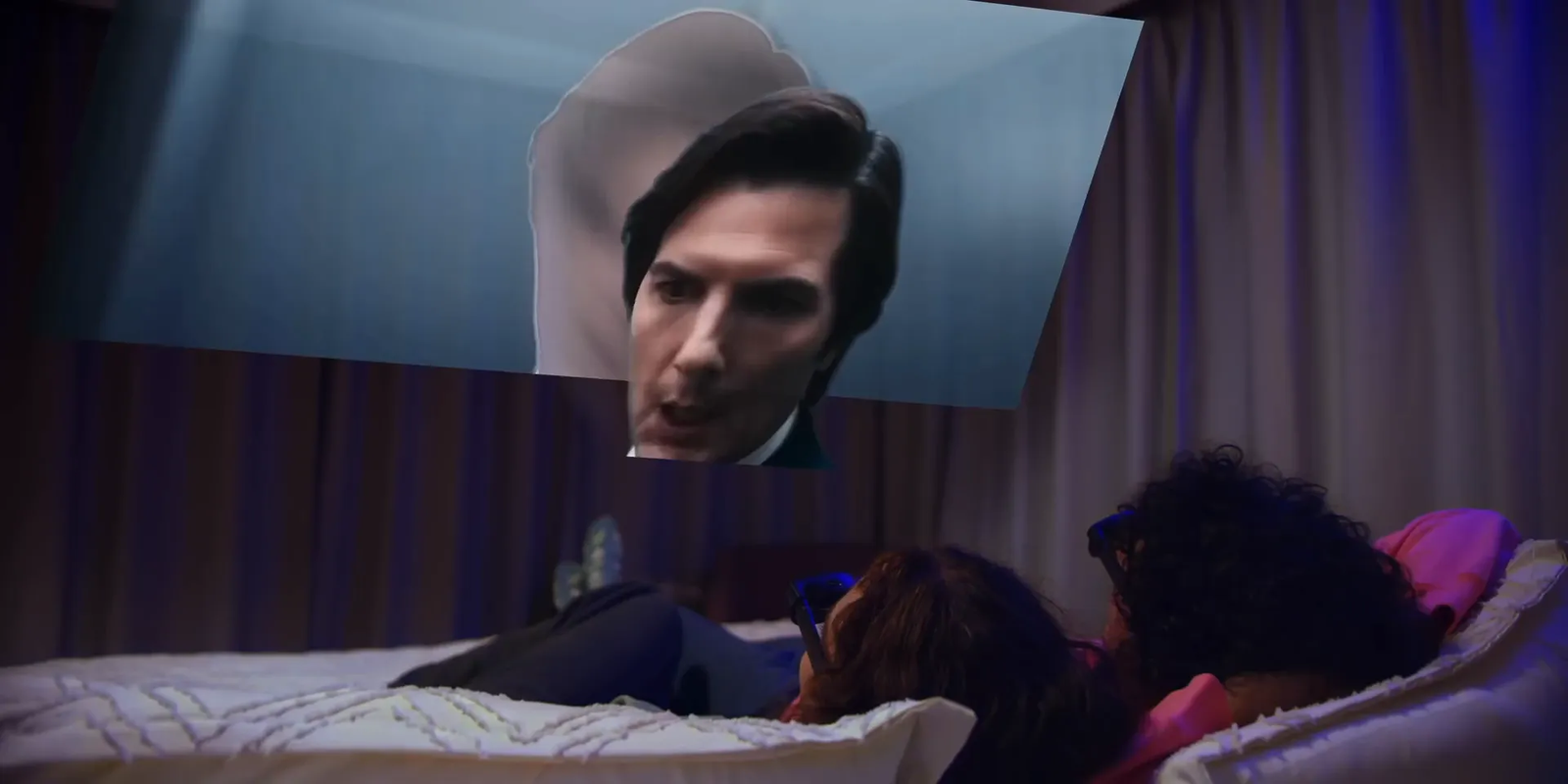
For movies, this creates a personal viewing setup that is useful on flights, in hotels, or at home. The original reviewer described watching downloaded Netflix content during a flight and enjoying the larger private display. That is a useful reported experience, although playback compatibility can depend on the device, app, and content protection rules.
Using SpaceWalker for Productivity
VITURE’s SpaceWalker software adds features such as head-tracked screens and multiple virtual displays on supported systems. These tools can help with browsing, documents, and other tasks when you do not have room for a conventional monitor.
However, the Luma Pro does not have dedicated hardware-based 6DoF tracking. Its software-assisted 3DoF features depend on the connected platform and application. If fixed spatial windows are essential to your work, consider a model designed for more advanced tracking.
Immersive 3D: Turning 2D Content into 3D
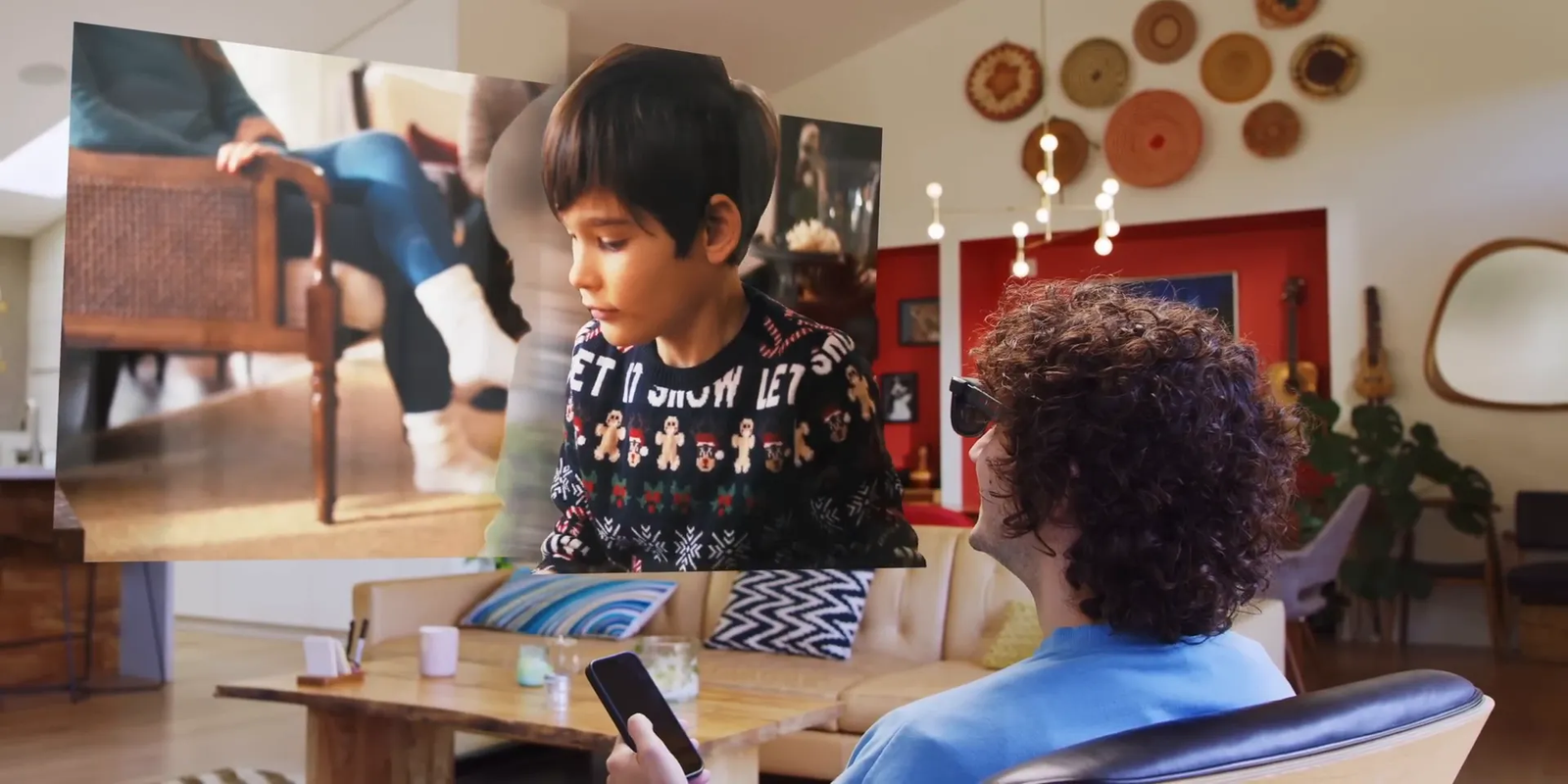
One of VITURE’s more unusual features is immersive 3D viewing. Through supported SpaceWalker software, compatible photos and videos can be processed to create a stereoscopic depth effect.
The technology estimates depth from ordinary images and videos. That means you do not always need content captured with a dedicated 3D camera. It is still an estimated depth effect, not the same as footage recorded with true stereoscopic cameras.
The original article quotes VITURE CEO and cofounder David Zhang describing this ability to transform older photos and videos into 3D. The practical appeal is easy to understand: you can revisit familiar content in a different format without recording it again.
Important 3D Limitations
Immersive 3D is not a universal feature for every app and device combination. The current supported features differ across iOS, Android, Windows, and macOS. Some streaming services may also restrict video access through DRM protection.
Real-time conversion uses processing power and may increase battery consumption. Check VITURE’s current SpaceWalker requirements before relying on immersive 3D for a specific phone or computer.
How It Performs in Real Use
1. Handheld Gaming at Home
A supported handheld gaming PC can send video to the Luma Pro while you continue using its built-in controls. This makes the setup useful when you want a larger image without connecting to a television. The main tradeoff is that the handheld still supplies power and processing, so battery use remains a concern.
2. Watching Movies on a Flight
The virtual screen and electrochromic shading make the glasses appealing for seated travel. You can watch compatible downloaded content without holding a tablet close to your face. The carrying case also helps protect the glasses between sessions. For sound, headphones are often the more practical option in a noisy cabin.
3. Working from a Small Desk
With a compatible laptop, the Luma Pro can provide an external display without taking up physical desk space. SpaceWalker may add useful virtual screen controls. However, a conventional monitor can still be preferable for long writing sessions, detailed design work, or tasks that require frequent viewing of your keyboard and surroundings.
4. Sharing Games with Another Person
A compatible VITURE docking accessory can support two pairs of XR glasses for selected gaming setups. This can be handy when a television is unavailable. It also adds cost because the second pair of glasses and suitable dock must be purchased or supplied separately.
Setup Tips for Better Results
- Check video support first. Confirm that your phone, computer, or handheld supports the required USB-C video output or has a suitable adapter.
- Choose the correct frame size. Use VITURE’s IPD guidance rather than selecting a size based only on appearance.
- Adjust the nose pads. Position the lenses so both eyes can see the entire virtual image clearly.
- Set myopia correction separately for each eye. Start with your normal vision needs and make small changes until text looks sharp.
- Adjust the temple angle. A slight tilt can improve edge clarity and reduce the need to move your head.
- Test brightness and shading. Choose settings that suit your room and viewing comfort.
- Update supported software. Check the latest SpaceWalker version and official firmware guidance before using advanced display features.
Pro Tip: If the center of the screen looks sharp but the corners are blurry, adjust the nose pads and temple angle before changing display settings. VITURE recommends positioning the glasses close enough to your eyes to reach the best optical viewing area.
The Future of XR and AI Integration
In the source interview, David Zhang described a future in which lightweight XR glasses could handle more tasks that people now perform on phones. He also suggested that artificial intelligence could change how users interact with applications through wearable displays.
“After AI gets mature, I believe AI’s going to revolutionize the entire industry. So for the glasses, all the applications are going to be redesigned by AI.”
This remains a prediction rather than a present-day Luma Pro feature. Today, the glasses mainly work as a display connected to a host device. Future software improvements may add functions, but buying decisions should be based on features currently supported by your device.
Luma Ultra and The Beast: Other Models to Consider
VITURE has expanded its range beyond the Luma Pro. The Luma Ultra and The Beast, described as upcoming products in the original 2025 article, are now part of the company’s advertised product lineup.
- Luma Ultra: Uses a triple-camera arrangement, including depth cameras, for advanced spatial capabilities. It supports 6DoF and hand tracking in specified configurations, including use with the Pro Neckband or supported computer software. It is better suited to buyers interested in spatial computing.
- The Beast: Offers a wider 58-degree field of view and built-in hardware-based 3DoF. This makes it appealing to users who prioritize a larger virtual display and more stable screen positioning without depending on the same tracking setup as Luma Pro.
- Basic Luma: Provides a lower-cost entry into VITURE’s XR display range. It lacks some advanced features of the Pro model but may be enough if you mainly want a simple virtual screen.
The right choice depends less on which model has the most features and more on the type of viewing you plan to do. For straightforward portable entertainment, Luma Pro remains a balanced option. For more advanced spatial tracking, Luma Ultra or The Beast may justify a closer look.
What Sets VITURE Apart?
VITURE focuses on more than the physical display glasses. Its range also includes software, gaming docks, controllers, and adapters intended to make the glasses useful with different devices.
The source article attributes the following product-development philosophy to David Zhang:
“We don’t just produce XR glasses. We produce a whole new experience. We don’t make a hammer and then find the nails. We find the nails, and then we make the best hammer for that nail.”
That approach has a practical advantage if you want one XR setup for gaming, movies, and work. The downside is that extra accessories can increase the total cost and make the setup less simple than a direct cable connection.
Pros and Cons
Pros
- Sharp 1200p Micro-OLED display with a wide 52-degree field of view.
- Adjustable nose pads, temples, and myopia dials help improve fit.
- Electrochromic shading helps reduce distractions during viewing.
- Works with many compatible gaming, mobile, and computer devices.
- SpaceWalker adds useful screen controls and immersive 3D features on supported platforms.
Cons
- Some consoles and devices need separately purchased docks or adapters.
- Built-in audio may sound weak compared with good headphones.
- No hardware-based 6DoF, and advanced software features vary by platform.
Is the VITURE Luma Pro Worth the Price?
The Luma Pro belongs in the premium portable-display category rather than the budget accessories market. Its value comes from combining a large virtual screen, adjustable optics, a compact frame, and support for a broad range of suitable devices.
It makes the most sense if you will use it often for handheld gaming, travel entertainment, or temporary laptop screen space. Buyers who only watch an occasional video may get more practical value from a tablet or a standard portable monitor.
Also consider the full setup cost. If you need a mobile dock, video adapter, prescription accessory, or headphones, the final purchase may cost more than the glasses alone.
How It Compares to Alternatives
Compared with the basic VITURE Luma, the Luma Pro adds features aimed at users who want a more adjustable and capable viewing setup. The Luma Ultra is the stronger choice for supported 6DoF spatial interaction, while The Beast offers a wider field of view and built-in 3DoF.
Outside VITURE’s range, the XREAL One is another alternative worth comparing. It offers hardware-based 3DoF and has been praised for its audio, while the Luma Pro appeals to buyers who prioritize its sharp display and adjustable fit. Your preferred tracking method, device compatibility, and accessory requirements should guide the decision.
Frequently Asked Questions
1. What devices work with VITURE Luma Pro?
The glasses work with many phones, computers, and gaming devices that support compatible USB-C video output. Devices without DisplayPort Alt Mode may need a suitable adapter, and Nintendo Switch systems require a compatible docking solution.
2. Can VITURE Luma Pro replace prescription glasses?
The built-in myopia dials cover zero to -4.0 diopters for suitable nearsighted users. They do not correct every type of vision problem, so some buyers may need compatible prescription lens inserts.
3. Does the Luma Pro really have a 4K display?
No. Its display resolution is 1200p. VITURE uses the term 4K-like to describe perceived sharpness from its optics, not native 4K resolution.
4. Can you use the Luma Pro with Nintendo Switch 2?
Yes, with a compatible VITURE docking accessory and the correct connection setup. Do not assume the console will work through a direct USB-C cable alone.
5. Does Immersive 3D work with every video?
No. SpaceWalker supports real-time 2D-to-3D conversion for compatible media and platforms. Some apps, websites, devices, and DRM-protected streams may limit the feature.
6. Can you use the Luma Pro for office work?
Yes. You can use a compatible computer for desktop viewing, and SpaceWalker offers extra virtual display features on supported platforms. For long sessions with small text or detailed work, a physical monitor may still be more comfortable.
7. Does the VITURE Luma Pro support 6DoF tracking?
The Luma Pro is primarily designed for display viewing and software-assisted 3DoF features. It does not provide the advanced built-in 6DoF tracking system of the Luma Ultra.
8. What should you check before buying VITURE Luma Pro?
Confirm your device’s video compatibility, preferred frame size, IPD range, and vision requirements. Also check which accessories are included, which software functions support your device, and whether the built-in speakers meet your needs.
The Bottom Line
The VITURE Luma Pro is a strong option if you want a sharp, portable virtual display for gaming, movies, and occasional laptop work. Its adjustable optics and broad device support are major strengths, but extra accessories, modest built-in audio, and software-dependent tracking make it less suitable for buyers who want an all-in-one spatial computing system.
Choose it for convenient personal entertainment and flexible screen use. Consider the Luma Ultra, The Beast, or a conventional monitor if advanced spatial tracking or extended desktop productivity matters more.
