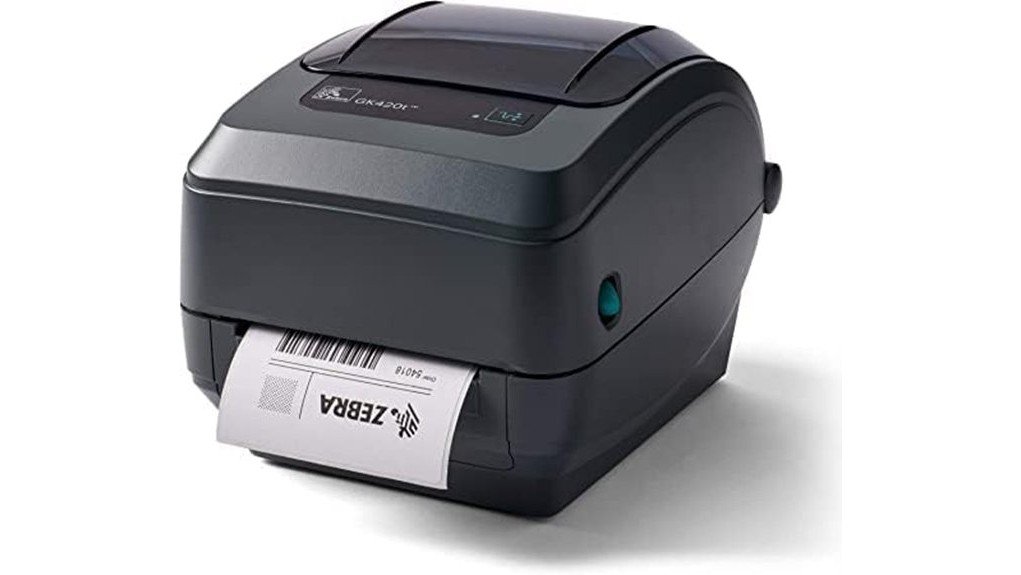
The Zebra GK420t printer stands out as a practical choice for businesses requiring efficient labeling solutions. With its solid print speed and resolution, it caters to various operational demands. Its compact design and versatile connectivity further enhance its usability in diverse settings. However, potential buyers may question the adequacy of its warranty and overall value. Understanding the balance between features and cost is essential for making an informed decision.
Overview
The Zebra GK420t is a widely recognized thermal transfer desktop printer, designed for efficient printing of labels, receipts, barcodes, tags, and wristbands.
Users appreciate its compact design and reliable performance, often highlighting seamless integration with major label software and shipping platforms.
Common user experiences indicate satisfaction with its print speed and quality, although some may encounter minor issues.
For those facing challenges, troubleshooting tips suggest checking connectivity options and ensuring proper media alignment.
With a commitment to user empowerment, the GK420t enables businesses to achieve streamlined operations, ultimately enhancing productivity and freedom in label printing tasks.
Detailed Features
Built for efficiency, the Zebra GK420t offers a range of features that enhance its functionality as a thermal transfer desktop printer. The printer boasts a user-friendly interface, ensuring ease of use for all skill levels. With extensive compatibility, it seamlessly integrates with major label software and shipping platforms, making it a versatile choice for various applications.
| Feature | Specification | Benefit |
|---|---|---|
| Print Speed | Up to 5 ips | Increased productivity |
| Resolution | 203 dpi | Sharp, clear prints |
| Connectivity | USB, Ethernet | Flexible network options |
| Maximum Media Size | 4.25 inches | Versatile label handling |
| Warranty | 90 days | Peace of mind |
Pros and Cons
Evaluating the Zebra GK420t printer reveals several notable advantages and a few drawbacks.
Pros:
- Cost efficiency with low operational expenses.
- High print speed of up to 5 inches per second.
- Compatibility with major label software enhances user experience.
- Compact design suitable for various workspaces.
- Renewed condition offers reliable performance at a lower price.
Cons:
- Limited resolution may not meet high-quality printing needs.
- The 90-day warranty may be insufficient for some users.
Concluding Thoughts
With its blend of cost efficiency and solid performance, the Zebra GK420t printer stands out in the market for thermal transfer desktop printers.
The user experience is enhanced by its reliable print speed and versatility in handling various media types.
User experience shines with dependable print speed and adaptability for diverse media types.
Customer feedback consistently highlights its value, noting ease of use and compatibility with major label software.
The device’s renewed condition, backed by a limited warranty, further assures buyers of quality.
Frequently Asked Questions
Can the Zebra GK420T Print in Different Label Sizes?
The Zebra GK420t offers impressive label versatility, accommodating various sizes up to 4.25 inches. Its printing efficiency, combined with thermal transfer technology, guarantees high-quality output for diverse labeling needs across different applications.
Is the Printer Compatible With Macos Systems?
Mac compatibility manifests seamlessly with the Zebra GK420t, ensuring solid software support for users. This printer adeptly accommodates diverse operating systems, promoting productivity and providing liberation for those seeking versatile printing solutions.
How Do I Replace the Thermal Transfer Ribbon?
To replace the thermal transfer ribbon, open the printer, remove the old ribbon, install the new ribbon ensuring proper alignment, and close the printer. This process enhances print quality, ensuring clear and vibrant outputs.
What Is the Maximum Roll Diameter for Media?
The printer gracefully accommodates a maximum roll diameter of 5 inches for media, ensuring seamless operation. This feature enhances efficiency, allowing users to embrace their labeling tasks with freedom and ease, without unnecessary interruptions.
Does It Support Wireless Printing Options?
The Zebra GK420t does not support wireless printing options, limiting its connectivity to USB and Ethernet ports. Users seeking wireless capabilities may need to explore alternative printing solutions that offer more flexible connectivity options.