
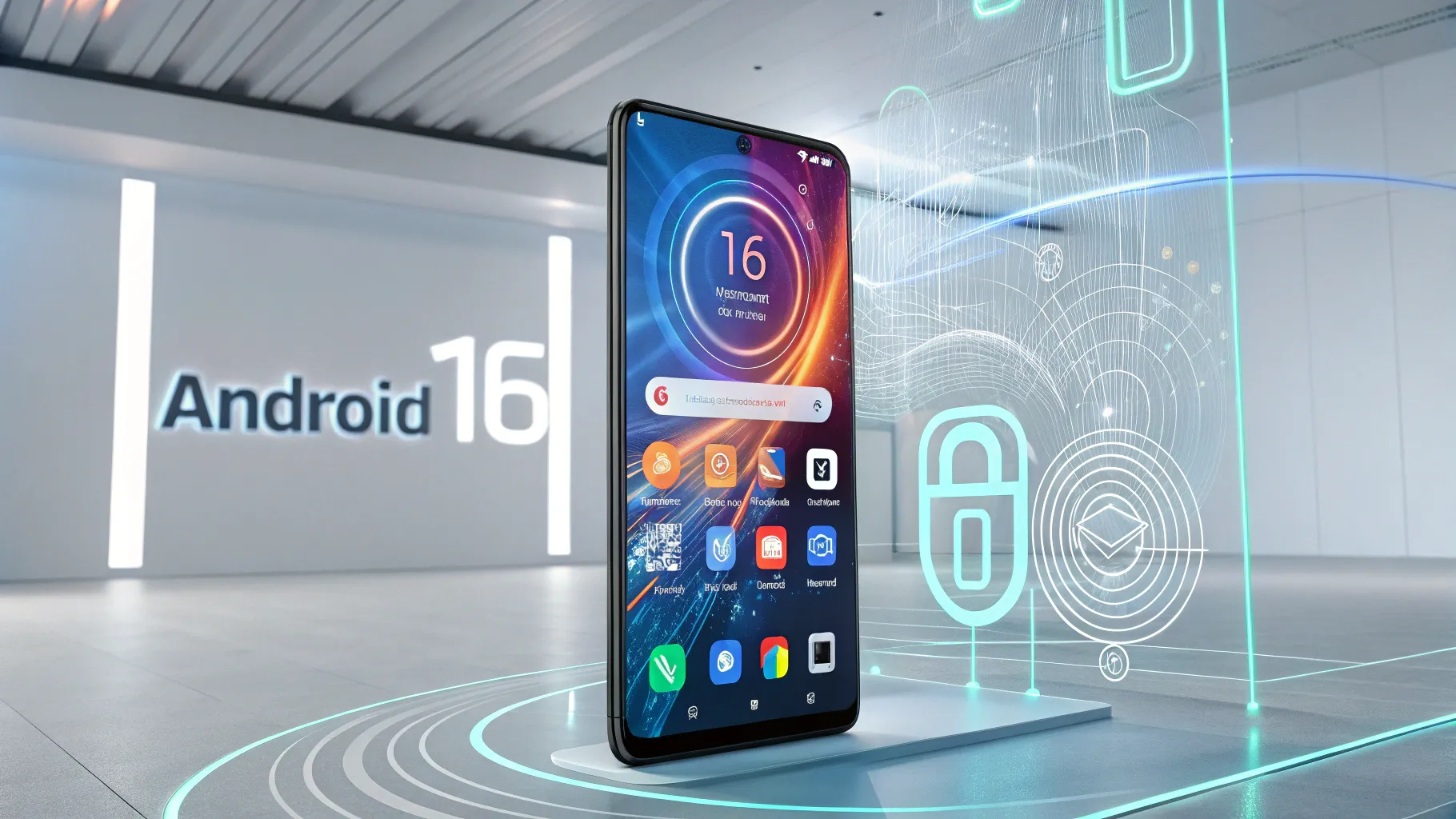
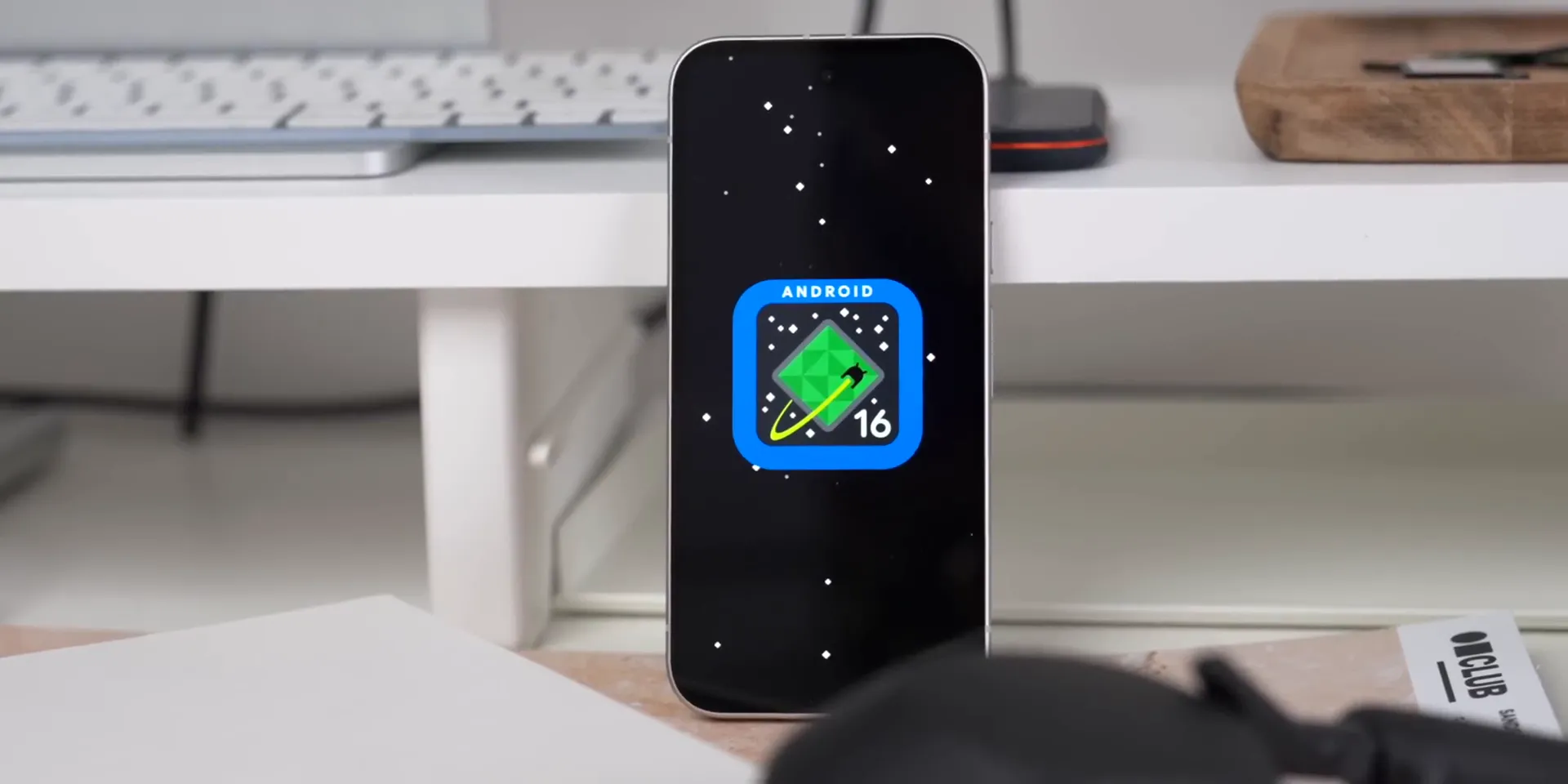
Android 16 launched for supported Pixel devices on June 10, 2025. Its first stable build emphasized security, accessibility, notifications, media support, and large-screen improvements rather than a dramatic visual redesign. Since then, Google has delivered later Android 16 updates, and Android 17 began rolling out in June 2026. This guide separates the original Android 16 platform features from Pixel-only additions and later changes.
Quick Answer
Android 16 introduced progress-focused Live Updates, stronger device protection, improved hearing-aid controls, notification grouping, UltraHDR enhancements, the APV video codec, and better large-screen behavior. Pixel 6-series devices and newer received it first. Material 3 Expressive and fuller desktop windowing arrived through later Android 16 updates, while Android 17 is now the newest major release.
Key Takeaways
- Android 16 first reached supported Pixel phones and the Pixel Tablet on June 10, 2025.
- Its core strengths were security, accessibility, progress-style notifications, media improvements, and adaptive app layouts.
- The June 2025 Pixel Drop was a separate Pixel feature package, not a complete list of Android 16 platform changes.
- Feature availability still depends on your phone model, hearing device, app support, carrier, country, and manufacturer skin.
- As of July 2026, Android 17 is the newest major Android release, but Android 16 remains relevant on supported devices.
Freshness note: This article was reviewed on July 14, 2026. Google launched Android 17 on June 16, 2026, so references to Android 16 as the newest version are no longer current.
Table of Contents
- Android 16 Launch, Status, and Supported Pixels
- Live Updates and Notification Improvements
- Accessibility and Hearing-Aid Enhancements
- Advanced Protection and Security Features
- Other Android 16 Improvements
- June 2025 Pixel Drop
- What Arrived After the First Release
- Android 16 in 2026
- Before and After Updating
- Frequently Asked Questions
- Your Thoughts?
- Sources
Android 16 Launch, Status, and Supported Pixels
Google released the stable Android 16 update on June 10, 2025, beginning with supported Pixel devices. Other manufacturers adopted Android 16 on their own schedules, often under branded interfaces such as Samsung One UI, OnePlus OxygenOS, or Xiaomi HyperOS. That means two phones can run Android 16 while presenting different menus, features, and rollout dates.
Google’s official Android 16 device list included the Pixel 6 and 6 Pro, Pixel 6a, Pixel 7 and 7 Pro, Pixel 7a, Pixel Fold, Pixel Tablet, Pixel 8 and 8 Pro, Pixel 8a, Pixel 9, Pixel 9 Pro, Pixel 9 Pro XL, Pixel 9 Pro Fold, and Pixel 9a. Newer Pixel models may ship with a later Android version instead of receiving Android 16 as an upgrade.
The first stable build did not contain every feature previewed during development. Google described it as a foundation for broader design and productivity changes, which later Android 16 quarterly updates expanded.
Warning: Back up important photos, messages, authenticator recovery codes, and files before a major system update. A normal over-the-air update should preserve your data, but interrupted installations, storage problems, beta builds, manual flashing, or rollback attempts can cause data loss.
Live Updates and Notification Improvements
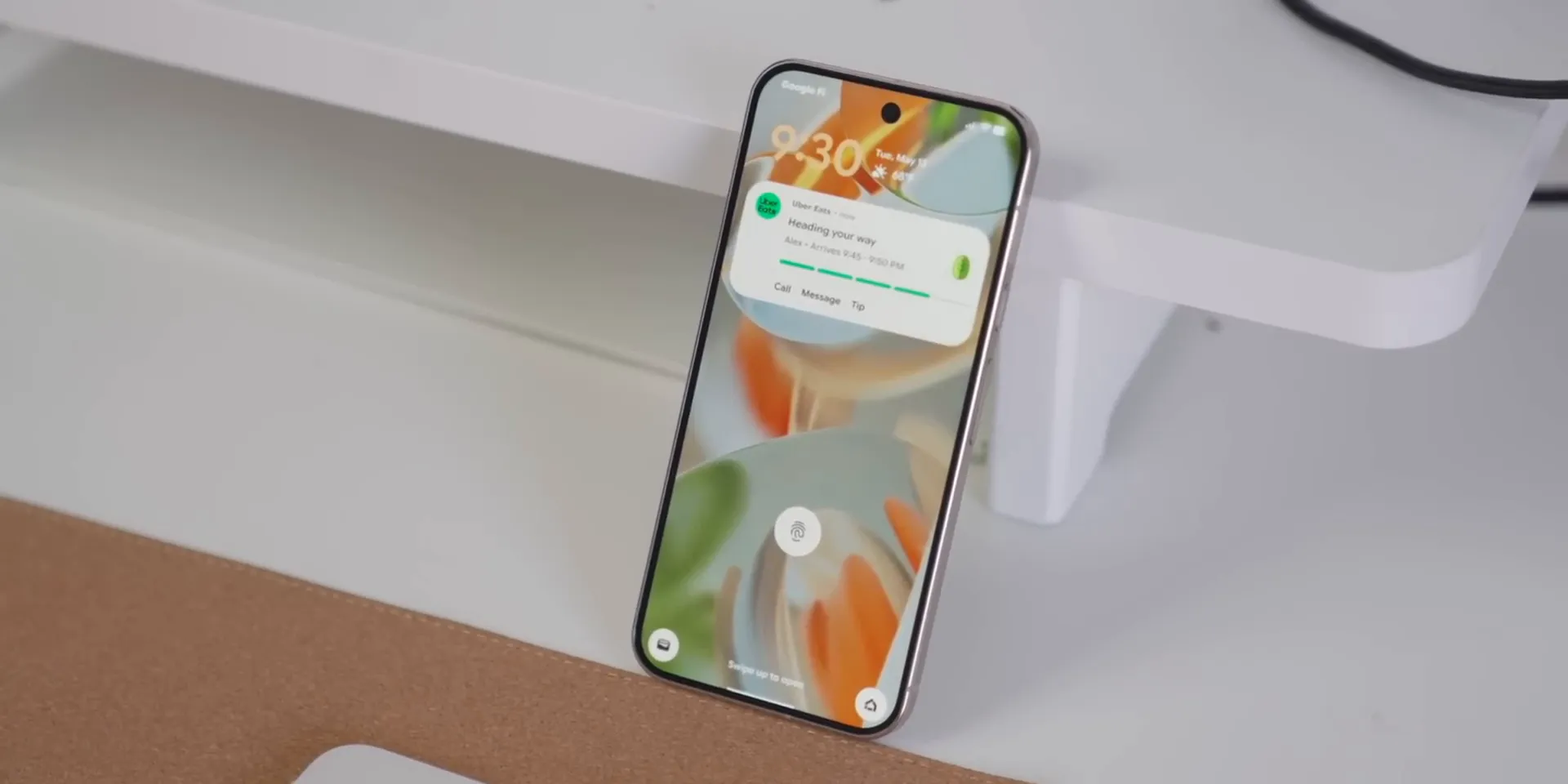
Android 16 introduced progress-centric notifications, commonly described as Live Updates. A compatible app can show changing progress for an active task, such as a food delivery, ride, navigation session, or other time-sensitive service. The app must support the relevant notification APIs, so installing Android 16 alone does not make every notification live.
Google also strengthened notification grouping to reduce clutter when one app sends several alerts. Manufacturers can present these updates differently. Samsung’s Now Bar and similar surfaces from other brands may use the same general idea without looking identical to the Pixel interface.
Lock-screen, always-on-display, and status-bar behavior depends on your Android 16 update level, device maker, and app. Treat Live Updates as a platform capability rather than a guarantee that every supported task appears in every system surface.
Accessibility and Hearing-Aid Enhancements
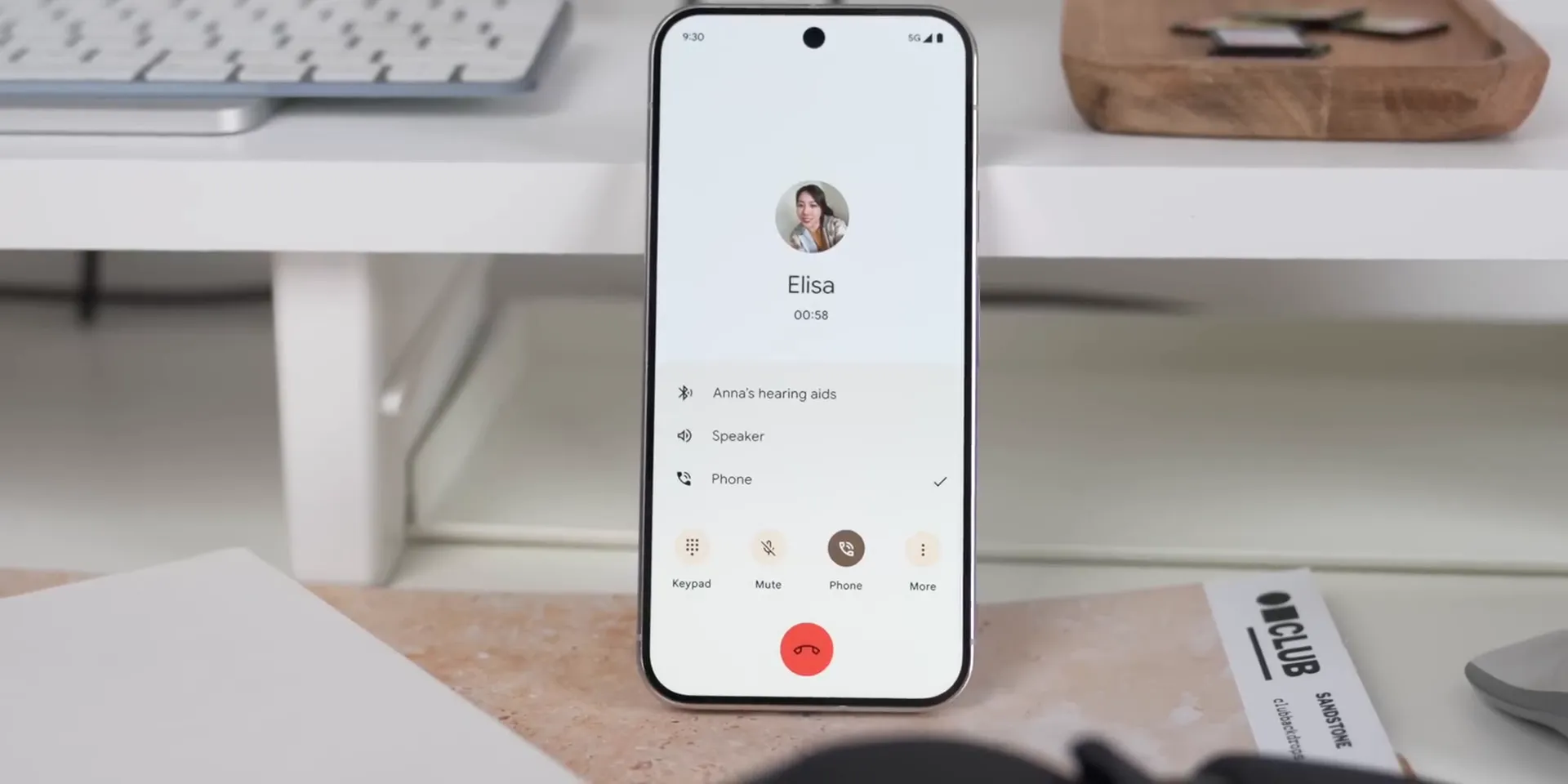
Android 16 improved support for compatible Bluetooth Low Energy Audio hearing devices. During a call, supported hardware can let you switch from the hearing device’s microphone to the phone’s microphone. This may improve voice pickup when the hearing device microphone is affected by wind, clothing, distance, or surrounding noise.
Android 16 also added more direct controls for compatible hearing devices, including options such as ambient-volume adjustment. Exact controls depend on the phone, hearing device, Bluetooth profile, and manufacturer implementation.
Google’s June 2025 Pixel Drop applied some of these capabilities specifically to Pixel 9-series devices and compatible LE Audio hearing aids. Owners of older Pixels or non-Pixel phones should check their manufacturer’s accessibility documentation instead of assuming every control is available.
Advanced Protection and Security Features
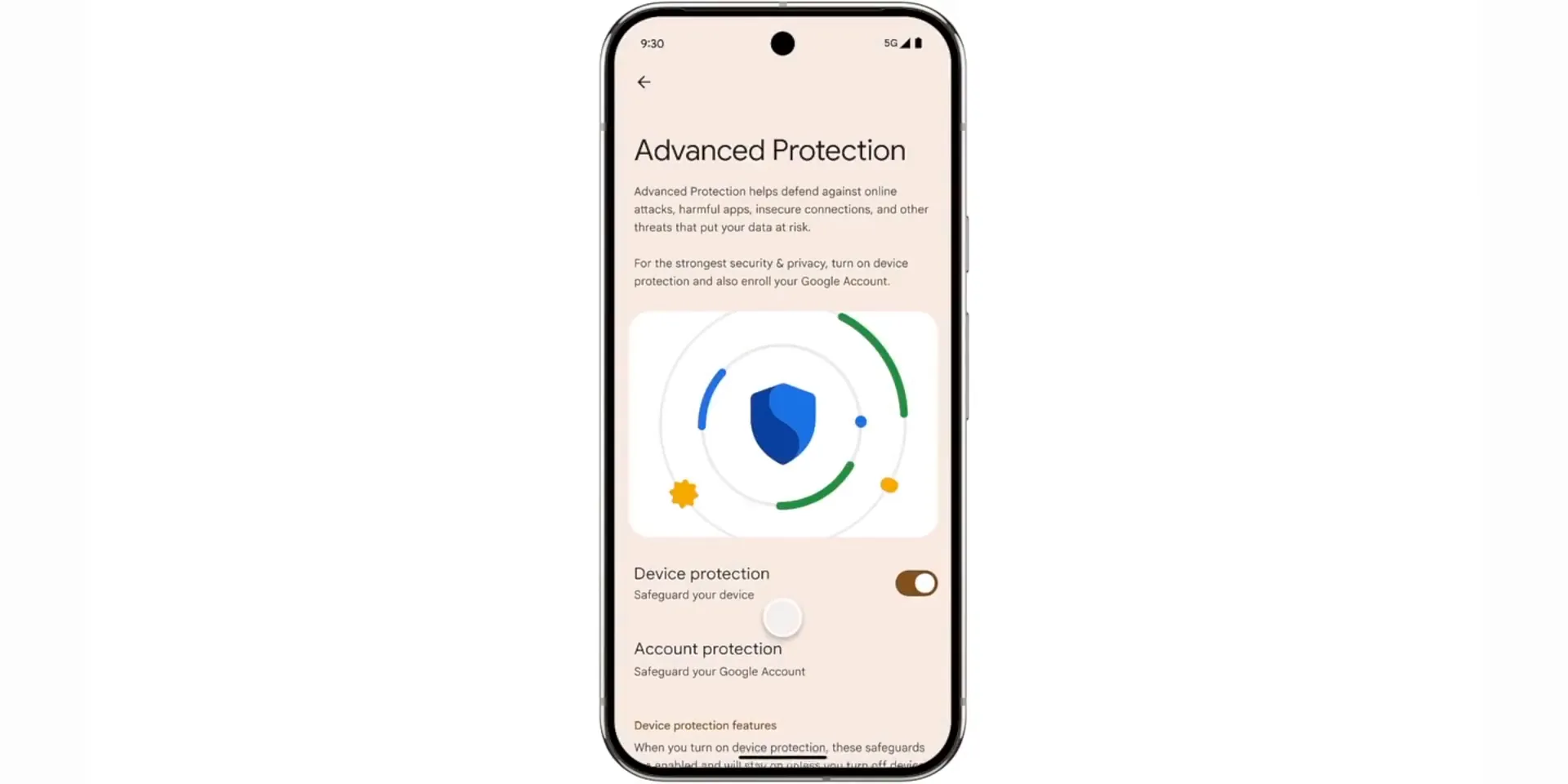
Android 16 added a device-level Advanced Protection mode for people who want stronger safeguards against harmful apps, unsafe websites, account attacks, scam attempts, and risky settings changes. Google designed it as one control that can activate a group of protections across Android and supported Google apps.
Depending on your device and update level, Advanced Protection can strengthen defenses in areas such as:
- app installation and harmful-app detection;
- web browsing, downloads, and suspicious links;
- calls and messages associated with common scams;
- device-lock, network, USB, and account-protection behavior; and
- settings that attackers may try to weaken during a social-engineering attempt.
Google released the core protection suite with Android 16 and described additional capabilities for later updates. Your settings screen is the best source for the protections currently active on your phone.
Warning: Sideloading an app bypasses some protections provided by an official app store. Install an APK only when you trust its publisher, download location, signature, and purpose. Never follow a caller’s instructions to weaken security settings or install remote-access software.
Android security also changes through monthly patches, Google Play system updates, app updates, and manufacturer firmware. Features such as inactivity-based reboot protections should not be treated as proof that a phone has a specific Android major version.
Other Android 16 Improvements
Android 16 included several less visible changes that affect images, video, navigation, app layouts, privacy, and large-screen devices. Some are platform tools that developers must adopt before you notice a difference.
- UltraHDR improvements: Android 16 expanded support for high-dynamic-range image formats and gain-map handling. This is broader and better documented than describing the change only as “HDR screenshots.”
- Edge-to-edge layouts: Apps targeting Android 16 face stronger edge-to-edge requirements, especially on larger screens. Developers must handle system bars and display insets correctly, so older or unoptimized apps may not immediately look different.
- Predictive back: Supported apps can preview the destination of a back action. Android 16 expanded the behavior, including support connected with three-button navigation.
- APV video codec: Android 16 introduced support for the Advanced Professional Video codec. AV1 support already existed on Android, so AV1 should not be presented as a new Android 16 codec.
- Unicode 16.0 emoji: The Unicode 16.0 standard added seven emoji characters. Their appearance and availability still depend on your system font, keyboard, app, and manufacturer update.
- Wallet shortcut: Some Pixel builds and manufacturer interfaces let you assign the power-button double press to Google Wallet instead of the camera. This is a device-setting option, not a universal Android 16 guarantee.
- Notification-volume controls: Features often called notification cooldown can reduce the disruption caused by repeated alerts. Availability and naming vary by device and Android 16 update.
- Scam defenses: Phone by Google, Google Messages, Play Protect, and Advanced Protection can work together to restrict risky actions during suspected scams. Country, language, app, and device support vary.
- Adaptive layouts and desktop windowing: Android 16 improved how apps resize on tablets, foldables, and connected displays. Later Android 16 updates expanded desktop-style windowing beyond what the first stable phone build showed.
- Photo Picker and Health Connect: Platform updates improved privacy-preserving media selection and expanded health-data capabilities for supported apps.
June 2025 Pixel Drop
The June 2025 Pixel Drop launched alongside Android 16, but it was a separate package of Pixel, app, and regional features. A feature listed in a Pixel Drop is not automatically part of the Android 16 platform or available on every Android phone.
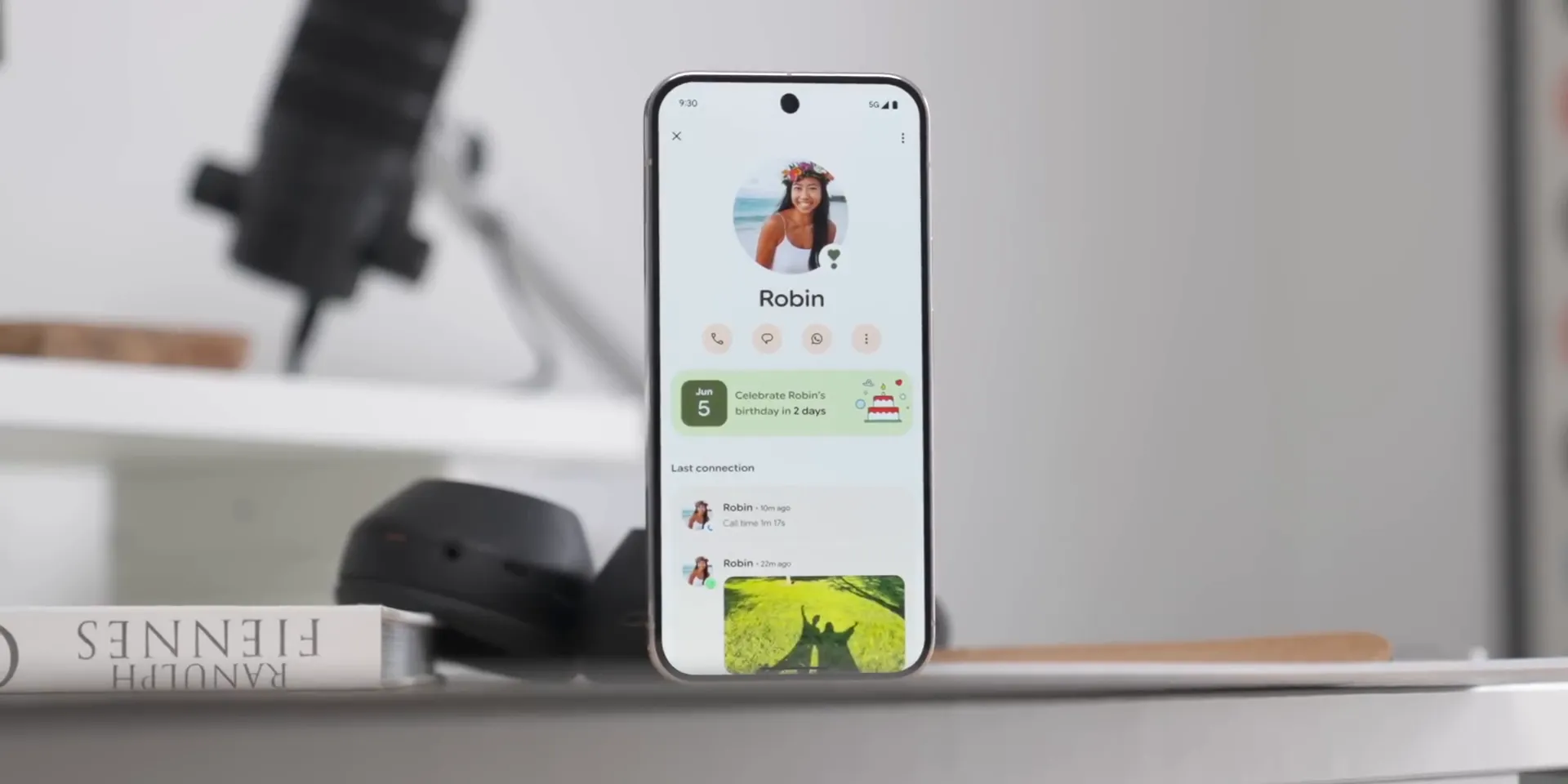
- Pixel VIPs: Supported Pixel 6-series and newer phones can place selected contacts in a dedicated home-screen experience. It can surface calls, Google Messages and WhatsApp activity, shared location, birthdays, and other relationship details. Google says sensitive information used by the feature stays on the device.
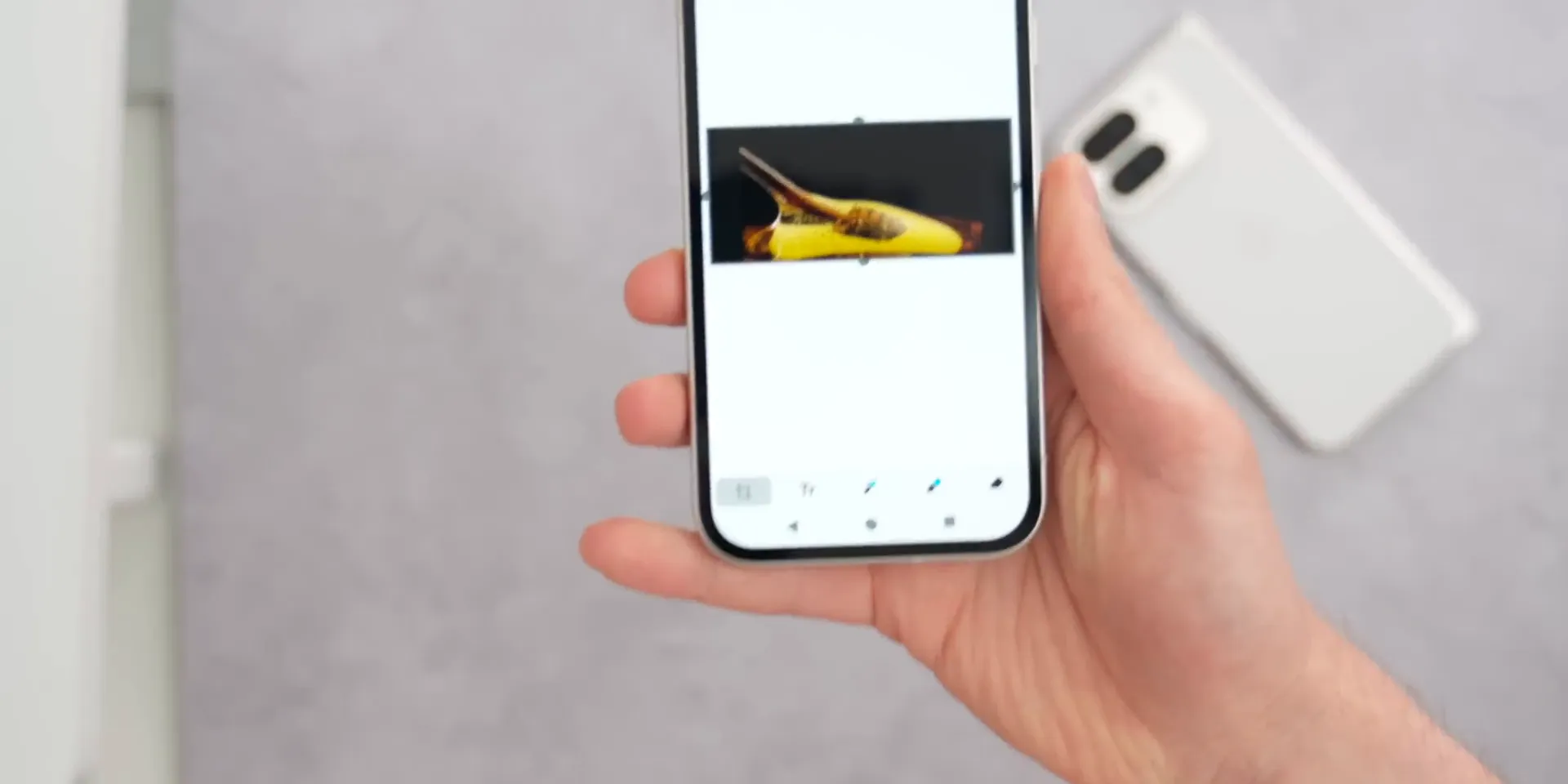
- Custom stickers in Gboard: Supported Pixel 9-series devices can use Pixel Studio in Gboard to create stickers from a text prompt or photo, including automatic background removal. Country and language limits apply.
- Camera Education: Supported Pixel camera software can explain available modes and help you choose settings for a scene.
- Recorder and audio tools: Selected devices and regions gained additional Recorder summary languages and Clear Voice improvements.
- Magnifier improvements: Live search can help locate matching text within the camera view on supported Pixels.
- Satellite SOS expansion: Google expanded availability in selected regions and on supported hardware.
- Hearing-device controls: Compatible Pixel 9-series phones gained Android 16 LE Audio hearing-device features with supported hardware.
- Battery and device information: Some Pixel models received additional battery-health or device-status details, but Google did not make every item available to every Pixel generation.
Features such as Expressive Captions, RCS group-chat customization, Emoji Kitchen combinations, Safety Check changes, and Express Transit on Pixel Watch have appeared across Google app, Android, Pixel, or Wear OS releases. They should not all be labeled as universal June 2025 Pixel Drop features. Check each app’s release notes and your device settings for current availability.
What Arrived After the First Release
The first stable Android 16 build did not include the complete Material 3 Expressive interface that Google had previewed. Later Android 16 quarterly updates brought the larger visual refresh to eligible Pixel devices, so the redesign is no longer simply a future Android 16 feature.
Desktop windowing also needs careful wording. The June 2025 phone release did not give every Pixel phone a finished desktop experience similar to a traditional PC. However, Android 16 introduced and expanded desktop-style windowing and adaptive behavior for tablets, foldables, and connected displays, with later releases improving the experience.
This staged rollout explains why an Android 16 phone updated in late 2025 could look or behave differently from one running the original June 2025 build.
Android 16 in 2026
Android 16 is no longer Google’s newest major release. Android 17 began rolling out to Pixel devices on June 16, 2026, with other eligible devices following manufacturer schedules. That does not make Android 16 unsafe or unusable by itself. Security depends on your model’s support window, installed security patch, Google Play system update, manufacturer patches, and app versions.
Android 16 still matters if your phone has not received Android 17, if Android 16 is the last major version promised for your model, or if you support users and apps across several Android generations. Focus on the exact build and patch date shown under Settings > About phone > Android version rather than relying only on the major-version number.
Before and After Updating
Before you install Android 16
- Confirm that the update comes from your phone’s built-in system updater or the manufacturer’s official support page.
- Back up important files and verify that you can access your account recovery methods.
- Charge the phone, connect to reliable Wi-Fi, and leave enough free storage for the download and installation.
- Update important banking, work, accessibility, authentication, and device-management apps.
- Check your manufacturer’s release notes because Pixel instructions may not match another brand.
After the update
- Restart once more if apps, Bluetooth devices, widgets, or notifications behave unusually.
- Install pending app updates and the latest Google Play system update.
- Review notification permissions, battery restrictions, accessibility settings, and Advanced Protection.
- Reconnect or re-pair a hearing aid only if the existing connection stops working.
- Give the phone time to finish background optimization before judging battery life.
Pro Tip: If one feature is missing, check four things before assuming the update failed: your exact phone model, Android build number, app version, and country or carrier eligibility. Many Android and Pixel features roll out independently from the main operating-system download.
Frequently Asked Questions
Is Android 16 still the latest Android version?
No. Google began rolling out Android 17 to Pixel devices on June 16, 2026. Android 16 remains supported on many devices, but your manufacturer’s update policy determines whether and when your phone receives Android 17.
Which Pixel devices received Android 16 first?
Google’s launch list covered the Pixel 6 and 6 Pro, Pixel 6a, Pixel 7 and 7 Pro, Pixel 7a, Pixel Fold, Pixel Tablet, Pixel 8 and 8 Pro, Pixel 8a, Pixel 9, Pixel 9 Pro, Pixel 9 Pro XL, Pixel 9 Pro Fold, and Pixel 9a.
Did Android 16 include Material 3 Expressive at launch?
The first stable build in June 2025 did not include the complete Pixel redesign. Google used Android 16 as the foundation, and later Android 16 quarterly updates brought Material 3 Expressive to eligible Pixel devices.
What are Live Updates in Android 16?
Live Updates are progress-focused notifications for active, time-sensitive tasks. A compatible app can update information such as delivery or ride progress, but the app and device interface must support the feature.
What does Advanced Protection do?
Advanced Protection activates a stronger collection of safeguards across Android and supported Google apps. It is designed to reduce risks from harmful apps, unsafe sites, account attacks, scams, and attempts to weaken security settings. The exact protections depend on your device and update level.
Do Android 16 hearing-aid features work on every phone?
No. They require compatible phone hardware, Bluetooth LE Audio support, a compatible hearing device, and manufacturer software support. Some Pixel-specific controls from the June 2025 Pixel Drop were limited to Pixel 9-series devices and newer supported hardware.
Is the June 2025 Pixel Drop the same as Android 16?
No. Android 16 is the operating-system platform release. The Pixel Drop is a separate collection of Pixel, Google app, and regional features. They launched together, but their device requirements and rollout rules differ.
What should I do if an Android 16 feature is missing?
Install pending system, Google Play system, and app updates. Then confirm your model, build number, country, carrier, language, and app compatibility. Some features require server-side activation or specific hardware and will not appear on every Android 16 device.
Your Thoughts?
Android 16 was more substantial than its original interface suggested. Its biggest value came from platform foundations, security, accessibility, media support, notification behavior, and later quarterly improvements. Before updating any phone, check the manufacturer’s support page, back up your data, and confirm that your essential apps and accessories are compatible.
After installation, review Advanced Protection, notification settings, accessibility controls, Google Play system updates, and any Pixel-specific tools available to your model. For continuing coverage, follow the official Android, Pixel, and Android Developers channels rather than relying on a single third-party video or article.
Sources
- Google: Android 16 is here — launch date, Live Updates, notification grouping, hearing-device controls, and initial rollout.
- Android Developers: Android 16 features and changes — platform behavior, UltraHDR, APV, accessibility, adaptive layouts, and developer-facing changes.
- Android Developers: Get Android 16 — supported Pixel device list, installation guidance, and partner-device information.
- Google: June 2025 Pixel Drop — Pixel VIPs, Gboard stickers, regional features, and hardware requirements.
- Google Security Blog: Advanced Protection for mobile devices — Android 16 protection model and staged security additions.
- Google: Android 17 features — current major-version status and June 2026 Pixel rollout.
[…] for important functions. There are USB ports and a 12-volt outlet for everyday usability. The infotainment is the older Subaru system but it responds well, and heated seats are available though cooled seats […]