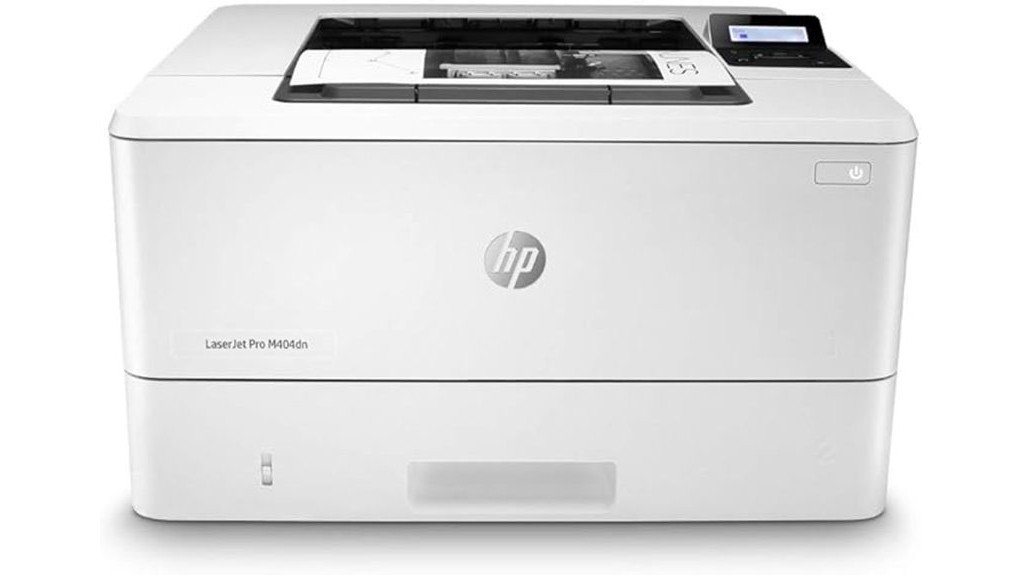
The HP LaserJet Pro M404dn stands out as a reliable monochrome laser printer tailored for office use. Its capacity to print up to 40 pages per minute speaks to its efficiency. However, the printer’s limitations in color output and absence of wireless features may raise questions for potential users. Understanding its strengths and weaknesses will provide insight into whether this model meets specific business needs. Further examination reveals more about its overall value and functionality.
Overview
The HP LaserJet Pro M404dn stands out as a robust monochrome laser printer tailored for business environments.
This model leverages advanced print technology to deliver consistent high-quality document printing, enhancing overall business efficiency. Its capability to print up to 40 pages per minute, combined with automatic double-sided printing, positions it as an essential tool for organizations focused on productivity.
Built-in Ethernet connectivity facilitates seamless integration within office networks, promoting collaborative workflows.
Designed with energy efficiency in mind, the M404dn not only reduces operational costs but also minimizes environmental impact, aligning with the modern business ethos of sustainability and optimized resource management.
Detailed Features
Packed with features tailored for professional use, the HP LaserJet Pro M404dn excels in delivering a blend of performance and efficiency.
This monochrome laser printer offers impressive print quality, producing crisp, clear documents with a speed of up to 40 pages per minute.
The automatic double-sided printing functionality enhances productivity while contributing to energy efficiency, saving up to 18% compared to previous models.
Its compact design is ideal for shared workspaces, minimizing paper waste through advanced technologies.
With a 250-sheet input tray, it seamlessly meets the demands of a busy office environment, ensuring reliable and high-quality output consistently.
Pros and Cons
While evaluating the HP LaserJet Pro M404dn, one can identify several advantages and disadvantages that influence its overall appeal for business use. This model excels in cost efficiency and print quality, making it a strong contender for organizations aiming to enhance productivity. However, it may not be the best choice for those requiring color printing capabilities.
| Pros | Cons |
|---|---|
| High print quality | Limited color printing |
| Cost-effective operation | No wireless connectivity |
| Fast printing speed | Smaller input tray capacity |
| Energy-efficient design | Higher upfront cost |
| Reliable security features | Basic functionality |
Concluding Thoughts
Considering its blend of performance and efficiency, the HP LaserJet Pro M404dn emerges as a compelling choice for businesses prioritizing high-quality monochrome printing.
This model excels in printing efficiency, delivering up to 40 pages per minute while minimizing paper waste through automatic double-sided printing. The printer’s built-in security features further enhance its appeal, ensuring sensitive documents remain protected.
Businesses benefit from reduced operational costs, thanks to its energy-efficient design and compatibility with long-lasting toner cartridges.
To summarize, the HP LaserJet Pro M404dn stands out as an effective solution for organizations seeking reliable, cost-effective, and secure printing options.
Frequently Asked Questions
What Is the Recommended Monthly Page Volume for the HP M404DN?
The recommended monthly page volume for the HP LaserJet Pro M404dn is up to 4,000 pages. This specification highlights its exceptional page performance, making it suitable for businesses with substantial printing demands and efficiency needs.
Can the Printer Connect to Wireless Networks?
The printer does not support wireless setup, limiting its network compatibility to wired connections. This design choice may appeal to businesses prioritizing security and stability over the flexibility offered by wireless printing solutions.
What Types of Media Can the Printer Handle?
The printer exhibits extensive media compatibility, handling various paper types including letter, legal, executive, and envelopes. This versatility guarantees it meets diverse printing needs, enhancing productivity in dynamic work environments while maintaining peak performance.
How Do I Replace the Toner Cartridges?
To replace the toner cartridges, the user should open the printer cover, remove the old cartridge, and install the new one securely. Proper toner replacement guarantees peak performance and longevity of the printer’s functionality.
Is Mobile Printing Supported With This Printer?
Mobile printing is indeed supported, offering users the freedom to print from anywhere. This feature complements the printer’s impressive print quality, allowing seamless integration into modern workflows while enhancing productivity and convenience in various environments.